DirectSOFT5 PLC Programming Software
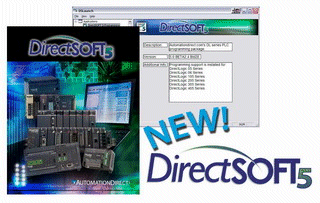 DirectSOFT5
is the new and improved version of the Windows-based PLC programming package. With many new instructions, programming is now easier,
quicker and more intuitive than ever. Improved viewing options and
customizable tool bars make it easier to program and monitor your
PLC system.
DirectSOFT5
is the new and improved version of the Windows-based PLC programming package. With many new instructions, programming is now easier,
quicker and more intuitive than ever. Improved viewing options and
customizable tool bars make it easier to program and monitor your
PLC system.
With DirectSOFT5, documentation can be exported for use in other
applications. User
Interface Themes allow operators to create a unique look and feel
for the DirectSOFT5 programming environment. The dock-able window
feature allows relocation of Cross Reference and Data views. The
ability to auto-hide or even tear away views and place them outside
the DirectSOFT5 work space .
The product offering has been simplified to a full support PC-DSOFT5
package that programs all of the DirectLOGIC PLCs, and the new
PC-DS100 package, which is a full-featured FREE programming package
with a 100 word limitation. (PC-DS100 is only available by download
from Automationdirect.com).
Please note: DirectSOFT PLC Programming Software is used with the DirectLOGIC PLCs; it is NOT for use with the Do-more PLCs. Do-more Designer programming software is specifically to be used with the Do-more PLCs.
 Windows
7 / 8 Compatibility - DirectSOFT v5.3 - With Microsoft's recent release of
the Windows 8 operating system, we have received several inquiries
asking if DirectSOFT programming software is compatible with Window 7
and Windows 8
operating systems. The short answer is YES, the current version of DirectSOFT
(v5.3) works on all versions of these operating systems with no known
compatibility issues.
Windows
7 / 8 Compatibility - DirectSOFT v5.3 - With Microsoft's recent release of
the Windows 8 operating system, we have received several inquiries
asking if DirectSOFT programming software is compatible with Window 7
and Windows 8
operating systems. The short answer is YES, the current version of DirectSOFT
(v5.3) works on all versions of these operating systems with no known
compatibility issues.
For more information about previous versions of DirectSOFT and operating
system compatibility please consult
FAQ0140 which
contains a compatibility matrix that cross references all of the released
versions of DirectSOFT with all of the Windows operating systems that
support them.
Simplified packaging makes your selection fast and easy
PC-DSOFT5, the newest DirectSOFT version, has a host of advanced features that make it easier than ever to program your Automationdirect.com PLCs. It supports full-featured 32-bit Windows-certified programming for all six DirectLOGIC PLC families (all DL05s, DL06s, DL105s, DL205 CPUs, DL305 CPUs, DL405 CPUs, and all of their Koyo versions). The software supports a wide array of online & off-line programming and documentation features, as well as our ALL NEW IBox instructions.
- DirectSOFT100 is the full-featured software package that allows a maximum of 100 words for programming, editing, and downloading in any DirectLOGIC CPU. A perfect solution for small applications! Larger programs can be created and saved but NOT reopened or downloaded without upgrading to the full version. Available as a FREE! download from www.Automationdirect.com
- DirectSOFT5 is the full programming package for all six DirectLOGIC PLC families (DL05, DL06, DL105, DL205, DL305 and DL405) with no programming limitations, at the lowest price ever. $395.00 at www.Automationdirect.com
- DirectSOFT5 Upgrade lets you upgrade from any previous version of DirectSOFT to DirectSOFT Version 5. You'll end up with complete DirectLOGIC CPU support regardless of what level of CPU support you upgraded from. $249.00 at www.Automationdirect.com
Version 5 of DirectSOFT includes these new features:
- New! - IBoxes "fill-in-the-blank" instructions (for DL05, DL06, D2-250-1, D2-260 and D4-450 only)
- New! - Tabbed views to optimize your viewing area.
- New! - Fully customizable Tool Bars - dock-able, lock-able and group-able.
- New! - Dock-able windows allow you to relocate Data View and Cross Reference views, auto-hide, or tear away and place them outside the DirectSOFT5 workspace - even on a second display! - for full ladder viewing optimization.
- New! - User Interface Themes allow you to give DirectSOFT5 the same look and feel as your favorite Windows applications.
- New! - "Tip of the Day" is a good way to learn new features and short cuts.
- New! - Export documentation for use in the new C-more panels.
Program editing features
- Full-screen point and click editing with the mouse and icons.
- New - "Tip of the Day" gives you programming guidance, information on short cuts and tips for taking advantage of new features.
- Browsers help you find proper addresses, contacts, coils, and box instructions.
- Edit Tool Box contains icons and hot-key equivalents for all elements.
- Fully-customizable and tear-off toolbars, ToolTips, long filenames, common file browsers
- Project information data with each project including creation and save dates, links, PLC type, project description and version, and company/department/programmer.
- On-screen cross reference in a tabbed view that automatically tracks program elements as you browse your ladder program.
- On-screen Element Usage view in groups of 8, 10, or 16 points per line.
- Predefined aliases for common items such as timer and counter current values.
- Access V-memory (Data Registers) with fill-in-the-blank Memory Editor.
- Easily cut and paste program elements, single rungs, or groups of rungs.
- Cut and Paste rungs (with documentation) between programs,
- Search for program elements by name, address, rung number, or instruction type.
- Search for constants.
- PID Setup is easy with fill-in-the-blank style for alarms, mode, process variable, ramp/soak table values, setpoint, gain, etc.
- PID Loop tune and trending dialogs are standard.
Documentation features
- Import & export program mnemonics and rung comments to a single TXT file that does not have to be in DirectSOFT format.
- New! - Export (nickname type, PLC address) to C-more in CSV format.
- Spreadsheet-style documentation editor for easy access.
- 16-character nicknames for addresses make troubleshooting and programming easier.
- 16-character wiring information allows you to tie PLC addresses to panel wiring numbers.
- 6-line x 16-character address description provides more detailed information about the program element .
- Rung comments can be up to 20 lines of 69 characters each.
- Cut, copy, and paste documentation between program elements.
- Free-form program Title page can be selected at time of printing.
- Import & Export feature for all program document.
Printing features
- Print any available view, including ladders, charts, and mnemonics.
- Print multiple columns.
- Use zoom to enlarge or reduce print size.
- Preview the printouts before you send them to the printer.
- Create custom printouts by selecting exact items to include for each view.
- Print program documentation, including nicknames, descriptions, rung comments, etc.
- Print program Cross Reference or Element Usage Table.
- Print PLC V-memory or Data Register contents.
Display and viewing features
- View program ladders.
- View program mnemonics.
- Stage view available for programs created with RLL-Plus instructions.
- Choose Rung Numbers or Addresses for Ladder View.
- View multiple programs at the same time.
- New! - Tabbed views allow you to easily switch between views and optimizes your viewing area.
- Use split screen to view different sections of the same program
- Use Zoom to enlarge or reduce the screen area for better viewing.
- New! - Customizable desktop themes, display colors for editing, unsaved changes, documentation, etc.
System setup features
- Set up PID loops with easy-to-use dialog boxes.
- Set PLC communication parameters through PC ports, modems or Ethernet.
- New! - Setup D0-DCM menu is available for the DL05 and DL06 communications module.
- Change PLC mode of operation.
- Clear PLC memory by type or all.
- Select or change retentive memory ranges.
- Read PLC I/O configuration
- Change I/O configuration (if allowed by the PLC).
- View PLC firmware revisions.
- Configure DV-1000.
Online operation features
- Online help system with supported CPU instruction list
- DSLaunch as a central manager for all projects, links and applications.
- Automatically build and store communication links to the PLC, even using modems or Ethernet.
- Visible indication of PLC communication link status.
- Status mode provides visible power flow condition for program elements, current values for timers and counters, and current values for V-memory or Data Register locations. Even status for Drum steps, outputs, event and/or time transitions, etc.
- Custom configure Data View windows to monitor various elements.
- Display nicknames in Data View.
- Save and store Data View windows by name.
- Choose data format for Data View window display (BCD, Binary, Decimal, Signed Decimal, etc.).
- Choose status symbol (switch, text, etc.) for discrete points in Data View.
- Change PLC values from Data View windows
- View multiple PLCs simultaneously (not available with OEM packages)
- Expanded Ethernet support for intranet/internet connectivity, allowing PLC monitoring and programming to be executed from throughout the enterprise network.
Maintenance and debugging features
- Automatic error checking during program entry.
- Program syntax check.
- Monitor PLC scan time.
- Perform PLC I/O diagnostics.
- View PLC errors and/or user error message.
- New! - Automatic project backup of the 4 most recently saved changes to your project.