ECOM FAQ0001
06-May-2002
Q: How can I speed up my ECOM communications?
A: Try shortening the scan time of PLC (PLC allows only 1 ECOM
transaction per scan). Try grouping data (reading done in blocks; but
writing is done by individual requests).
ECOM FAQ0002 (see also DirectSOFT FAQ0005)
28-May-2002
Q: What causes "Task code error response" with extended E353 error?
A: Error is from PLC and means "timeout in the background
communications." Error is due to backplane comm problem (ECOM, DCM,
etc.)
ECOM FAQ0003
20-Jan-2003
Q: Can H2-ECOM be configured to talk through a gateway?
A: Yes. You configure the gateway to reroute traffic to and from the ECOM via port 7070 (hex).
ECOM FAQ0004
27-Jan-2003
Q: Using DL205 with an H2-ECOM. Is there a way to turn on the PLC outputs from a VMS VAX system?
A: Host has what is called an Ethernet SDK (software developers kit)
that can normally be downloaded (free) from our website
(www.hosteng.com). However, this is, of course, useless for your VAX
system. But to accommodate your operating system, you can fill out a
form on our website and request the source code for the Ethernet SDK
and then recompile it to work on your VAX system. The reason you have
to request this is because we like to keep tabs on who gets our source
code (as you can understand).
Anyway, with this SDK recompiled for your system, you can use CCM (i.e.
DirectNET) protocol to turn on PLC outputs by simply knowing the memory
types and ranges as required for syntax.
Please see the following link for the request form and for details on the SDK and various information regarding these:
http://www.hosteng.com/Ethernet%20SDK/Ethernet%20SDK.htm
If this link doesn’t work, just go to the homepage (www.hosteng.com)
and click on “EBC / ECOM / EDRV” underneath “S/W Developer Kits” in the
left-hand column.
ECOM FAQ0005
28-Jan-2003
Q: What is the fastest way to get data from PLC to PLC?
A: ECOM in both PLCs and using the RX/WX commands is the fastest way to do this. It is much faster than serial.
ECOM FAQ0006
29-Jan-2003
Q: Can the ECOM do a broadcast message?
A: No, not directly.
ECOM FAQ0007
03-Feb-2003
Q: Is there Ethernet connectivity for the DL05 or DL06?
A: Yes; the H0-ECOM
ECOM FAQ0008 (see also EBC FAQ0015; HA-TADP FAQ0001; EDRIVE FAQ0001; ERM FAQ0009; WinPLC FAQ0004; EZ Ethernet FAQ0011)
07-Feb-2003
Q: Can the MAC address be changed?
A: The MAC address is burned into the ROM of the device and is set just
before it leaves the factory. There is no logical way for any protocol
to change this address. Host Engineering’s range for
Ethernet MAC addresses is 00.E0.62.xx.xx.xx.
However, there was a bug with the old Ether32.EXE program that could change
the MAC Address! If you use Ether32.EXE to update the booter using TCP/IP
protocol (i.e. use the "/pi" option on the command line), then the MAC Address
could be changed by accident!
- If MAC Address gets changed by accident in the above fashion, then you
will have to ship the module(s) to Host Engineering for repair.
- When updating the booter/firmware of the EBC, EDRV, ECOM or ERM always use
NetEdit instead of the outdated Ether32.EXE.
ECOM FAQ0009 (see also ERM FAQ0010; EBC FAQ0016; EDRIVE FAQ0002)
12-Feb-2003
Q: Can ERM Workbench be used to upgrade firmware on other Host Ethernet devices (e.g. an ECOM)? And if so, how?
A: Yes.
- Open ERM Workbench
- Press the <ERM Workbench> button at bottom left (skip using Wizard)
- Press the <2. Select Slaves…> button at top right.
- Window at left shows ERM devices, but there is a filter at the bottom: "All Devices." Pick this one.
- Now
all Host Ethernet devices are shown. Pick device of your choice and
press <Upgrade Firmware...> button. Follow instructions.
ECOM FAQ0010 (see also DirectSOFT FAQ0041)
04-Feb-2003
Q: Is it possible to run 2 NICs on 1 PC to 2 separate ECOMs?
A: Yes. But the only way Host has seen this work is if one NIC has
IPX-only protocol loaded (and not TCP/IP), and the other NIC has
TCP/IP-only protocol loaded (and not IPX). DirectSOFT has no other way
to choose between which NIC to use. see DirectSOFT FAQ0183 for installing protocols.
ECOM FAQ0011
21-Feb-2003
Q: Is it possible to send data to a PC from PLC (ECOM / ECOM100) with only
Winsock and no 3rd-party software on the PC?
A: Yes. If you are using "C" programming language there is an example
called "Report By Exception" (RBE) on our website. Documentation, source
code and DirectSoft project are included in the zipped file explaining how this
is accomplished. Go to:
http://www.hosteng.com/HW-Products/ECOM/ECOM.htm
Or ...
- Go to http://www.hosteng.com.
- Click on "Please Continue>>."
- In the left column click on "Hardware."
- Click on "ECOM."
- The 4th bullet on this page is where you can "Download the
report-by-exception instructions and examples."
ECOM FAQ0012
28-Feb-2003
Q: Is it possible to use Wonderware's InControl software to get data from
DirectLogic PLC?
A: Yes. Wonderware makes a driver that will talk directly to our H2-ECOM and
H4-ECOM. You will have to go to the Wonderware website and search for it (http://www.wonderware.com)
or call them and order it.
ECOM FAQ0013 (see also DirectSOFT FAQ0063)
27-Sep-2010
Q: Connecting to DL PLC with ECOM and getting "????" as the CPU
type; or just getting communications errors.
A: Check the following:
- If using H4-ECOM, check for bent pins on ECOM or CPU; or possible bad ECOM,
CPU or base.
- If using H2-ECOM make sure ECOM is not in slot 0.
- If using H2-ECOM and DL260, you must have at least DirectSoft v4.0 Build
18 for the "????" to not be displayed.
- If using H2-ECOM and DL250-1 and DirectSoft v3.0, must have at least Build
80 for the "????" to not be displayed.
- If using H0-ECOM make sure the PLC firmware is up-to-date.
- If using H0-ECOM and a D0-06LCD, make sure the LCD unit has a date code of 032A or
later.
ECOM FAQ0014 (similar to DS Data FAQ0009; see also DS Data FAQ0034; DirectSOFT
FAQ0065)
07-Mar-2003
Q: How can I speed up the data throughput of my ECOM?
A: Consider the following:
- Give the ECOM an isolated network if possible, as network traffic can effect data through-put.
- ECOMs do at least 1 comm cycle of approximately 128 bytes per PLC scan, but in faster CPUs
(e.g. DL260, DL05, DL06) it can do as many as 3. So using a faster PLC CPU will help.
- Since the ECOM comm cycle is PLC scan dependent, then anything you can do to make the PLC scan faster will help.
- Make
sure no other applications or devices are talking to the same PLC via
the same ECOM or serial port (e.g. like having DirectSOFT doing status
while DS Data is running, or PLC doing/responding to RX/WX from other
PLC). There is only so much bandwidth between the serial port/ECOM and
the CPU itself.
ECOM FAQ0015
07-Mar-2003
Q: Does the ECOM support Modbus TCP/IP protocol?
A: No, but the ECOM100s do.
ECOM FAQ0016 (see also DirectSOFT FAQ0066; DS Data FAQ0089)
20-Mar-2008
Q: How can I make a link with DirectSOFT (or DS Data) to a single ECOM/ECOM100 or multiple ECOMs/ECOM100s over the Internet?
A: There are a number of ways to accomplish this due to the versatile ways in
which Internet connectivity is established.
Method #1 (Direct Connect): Requires
the remote ECOM/ECOM100(s) to have a registered Internet IP address.
Method #2 (Indirect Connect): Requires
access to the remote gateway/router which must be configured to translate
TCP port #s.
Method #3 (ISP VPN): Requires the ISP
(Internet Service Provider) set up a VPN (Virtual Private Network).
Method #4 (VPN Software): Requires the
use of some form of VPN software (e.g. PC Anywhere, LogMeIn, etc.).
NOTE: Host Engineering, Inc has a single ECOM on the
Internet that you can practice with. Its IP Address is
12.69.41.166.
Method #1 (Direct Connect)
Multiple ECOM/ECOM100 Instructions:
In this method if connecting to
multiple ECOM/ECOM100s, it is assumed that each ECOM/ECOM100 has its own
registered Internet IP address and therefore to connect to each of them only
requires that you make separate links to each one.
DirectSOFT Link Configuration to connect to
PLC1:
1. Build link in DirectSOFT.
a. On PLC tab
select:
PLC Family - Direct LOGIC 205 Series
PLC Type - 250
b. On the Port tab
select:
Devices - Ethernet
Transport - Winsock
Transport Protocol - UDP/IP
Node Address - IP Address
12.69.41.166
(Registered Internet IP Address of Host's ECOM)
Advanced Settings - Timeout (Increase?)
NOTE: To determine how much the "Timeout" setting should be increased:
1. Go to the DOS Command Prompt (Start --> Programs -->
Accessories --> Command Prompt)
2. Type in: ping 12.69.41.166
3. Make note of the "Maximum" time as listed and increase this
number by at least 50%.
4. Enter this number as the "Timeout" setting.
UDP Port Number (if it is displayed) - 28,784
(this is the default; must always be this number)
c. On the Protocol
tab select:
Protocols - ECOM
d. Click <Auto>.
Should beep for success.
e. Enter a name for
the link and click <Accept>.
Method #2 (Indirect Connect)
Multiple ECOM/ECOM100 Instructions:
In this method if connecting to
multiple ECOM/ECOM100s, they are assumed to be located behind the gateway/router
on an internal network with internal IP addresses assigned to them. Therefore,
the DirectSOFT (or DS Data) links to each of them must use the same IP address
of the gateway/router (because from the Internet, that is all it can see). Thus,
the only way to differentiate between the multiple ECOM/ECOM100s on the other
side of the gateway is by DirectSOFT (or DS Data) using different TCP port #s
for each. In order to accomplish this 2 things must be done: (1) DirectSOFT (or
DS Data) must have this feature turned ON by editing the .INI file, and (2) the
remote gateway/router must be configured to translate the TCP port #s to
different IP addresses behind its firewall.
DirectSOFT Link Configuration to connect to
PLC4:
1. Edit .INI file and set UDPPortNumEnable=1
- To pull up the .INI
file for editing, see DirectSOFT FAQ0204.
- To edit the
UDPPortNumEnable parameter in the .INI file, see
DirectSOFT FAQ0008.
2. Build link in DirectSOFT.
a. On PLC tab
select:
PLC Family - Direct LOGIC 205 Series
PLC Type - 250
b. On the Port tab
select:
Devices - Ethernet
Transport - Winsock
Transport Protocol - UDP/IP
Node Address - IP Address
12.69.41.166
(Registered Internet IP Address of Gateway/Router)
Advanced Settings - Timeout (Increase?)
NOTE: To determine how much the "Timeout" setting should be increased:
1. Go to the DOS Command Prompt (Start --> Programs -->
Accessories --> Command Prompt
2. Type in: ping 12.69.41.166
3. Make note of the "Maximum" time as listed and increase this
number by at least 50%.
4. Enter this number as the "Timeout" setting.
UDP Port Number -
28,787 (can be any free configurable
Port # on your particular Gateway/Router)
c. On the Protocol
tab select:
Protocols - ECOM
d. Click <Auto>.
Should beep for success.
e. Enter a name for
the link and click <Accept>.
Gateway Configuration Table:
|
PLC |
DirectSOFT Link Node Address (Gateway) |
DirectSOFT Link Port # |
Nontranslated ECOM Node Address |
ECOM Port # (cannot be changed) |
| PLC1 |
12.69.41.166 |
28,784 (0x7070) |
192.168.20.1 |
28,784 (0x7070) |
| PLC2 |
12.69.41.166 |
28,285 (0x7071) |
192.168.20.2 |
28,784 (0x7070) |
| PLC3 |
12.69.41.166 |
28,786 (0x7072) |
192.168.20.3 |
28,784 (0x7070) |
|
PLC4 |
12.69.41.166 |
28,787 (0x7073) |
192.168.20.4 |
28,784 (0x7070) |
Method #3 (ISP VPN)
This method requires that you work with your ISP (Internet Service
Provider) and have them set up a VPN (Virtual Private Network) for you so
you can connect to the remote network where the ECOM/ECOM100s are located.
There are quite a variety of ways in which your ISP can do this for you.
Some may require you use their own software to do it. But in most cases once
the VPN is established, the connection to the ECOM/ECOM100s on the remote
network is exactly like Method #1 (Direct Connect) above.
Multiple ECOM/ECOM100 Instructions: Once VPN connection is
established it is assumed that each ECOM/ECOM100 has its own IP address on
the remote network and therefore to connect to each of them only requires
that you make separate links to each one.
Method #4 (VPN Software)
This method requires the use of some form of VPN software (e.g. PC
Anywhere, LogMeIn, etc.). The ECOM/ECOM100 cannot be accessed directly with
this method but instead the VPN software allows you to control a PC (with
DirectSOFT (or DS Data) installed) at the remote site that is on the same
network as the ECOM/ECOM100s. Thus, after the connection using the VPN
software is established, the connection to the ECOM/ECOM100s on the remote
network is exactly like Method #1 (Direct Connect) above.
Multiple ECOM/ECOM100 Instructions: Once VPN connection is
established it is assumed that each ECOM/ECOM100 has its own IP address on
the remote network and therefore to connect to each of them only requires
that you make separate links to each one.
ECOM FAQ0017
14-Mar-2003
Q: Using your ReportByException example but need to know what the first 13 bytes
in the sent telegram mean.
A: This information is detailed in out SDK (Software Developer's Kit) source
code. To obtain a copy, go to
http://www.hosteng.com/Ethernet%20SDK/Ethernet%20SDK.htm
Or...
- Goto http://www.hosteng.com.
- Click Please Continue >>.
- In the left column under S/W Developer Kit, click EBC / ECOM / EDRIVE.
- Scroll to the bottom of the page, fill out the form and press Submit.
We will process your request and e-mail it to you.
ECOM FAQ0018
25-Mar-2003
Q: Can TCP/IP protocol be used to upgrade the ECOM?
A: Yes. See the firmware upgrade instructions:
http://www.hosteng.com/HW-Products/FWUpgrade.htm
ECOM FAQ0019 (see also ERM FAQ0014; EBC FAQ0023; EDRIVE FAQ0005; EZ Ethernet
FAQ0014)
26-Mar-2003
Q: For my Ethernet network that would exceed 100 meters, is a standard hub
considered a repeater so as to increase the permissible length?
A: Yes. The maximum distance per 10BaseT cable segment is 100 meters. Repeaters
(e.g. hubs, bridges, etc.) extend the distance. Each cable segment attached to a
repeater can be 100 meters. Thus, two repeaters can gain you a total of 300
meters distance.
ECOM FAQ0020
04-Apr-2003
Q: Monitoring my Ethernet network, I see broadcasts coming from ECOMs on the
network. Why?
A: ECOMs send out broadcasts for the following reasons:
- Because the ECOM's PLCs have been configured to talk between themselves
(i.e. ECOM-to-ECOM) using the RX/WX commands in the PLCs.
- NetEdit software on a PC connected to the network sends out broadcasts to
find Host Engineering Ethernet devices . . . ECOMs respond in like manner.
- If an application of any kind on the PC connected to the network is
sending broadcasts out, the ECOM will respond in like manner.
ECOM FAQ0021
04-Apr-2003
Q: What IP port do ECOMs broadcast to?
A: Port 7070 (hex), or 28,784 (decimal).
ECOM FAQ0022
04-Apr-2003
Q: Can I monitor the ECOM port (7070 hex; 28,784 decimal) on the network to
determine that the PLCs are still connected?
A: Yes. However, you may want to consider our "report-by-exception" example.
This way the ECOM doesn't send a broadcast, but a regular IP telegram. Also, you
could program each PLC to report to the PC at any interval you want. To see the
example:
- Go to http://www.hosteng.com.
- Click on Please Continue >>.
- In the left column click on Hardware.
- In the left column click on ECOM.
- About the fourth bullet on the page you will see the "Download the
'report-by-exception' instructions and examples.
ECOM FAQ0023
10-Apr-2003
Q: Can Allen-Bradley PLCs with Ethernet connectivity talk to ECOMs?
A: Directly this is not possible for the ECOM but there is a way using the
ECOM100. The ECOM can send UDP/IP packets, but the
Allen-Bradley could not get them into its memory; and vise versa. The only way
to do this would be to put a PC on the network that would act as the gateway and
translate the protocols between them. However, our ECOM100s support Modbus TCP
(client & server) and with the
proper module on the Allen-Bradley side (e.g. Prosoft) these could talk directly.
ECOM FAQ0024 (similar
to DirectSOFT FAQ0013; DSData FAQ0045) 01-Jul-2011
Q: Need general help on getting Ethernet communications from PC to PLC and establishing a link.
A: First of all, always make sure you are using the latest version of
DirectSoft possible.
Secondly, if you are using an ECOM and have WinXP on your PC with a firewall
(particularly with SP2), then you must do one of the following:
(1) Turn the firewall off, or
(2) Create an exception for CSMAIN.EXE application
(located in c:\DirectSOFT4\bin folder), or
(3) Create an exception for port #0x7070 (28784) for
both TCP and UDP protocols. which is the port number that all of our Ethernet
devices use for communication.
Thirdly, you can control which communications resources on your PC you want to let DirectSOFT use by entries in
DS500.INI.
COMMUNICATIONS RESOURCES
You must edit DirectSOFT's DS500.INI file to change communication resources.
(To pull up the .INI file for editing, see DirectSOFT FAQ0204)
There is 1 parameter that can be modified regarding communication resources
with ECOM/ECOM100:
(1) EthernetEnable - To edit this resource in the .INI
file, see DirectSOFT FAQ0008.
NOTE: In some extremely rare cases with DirectSOFT versions older than
v4.0, to totally disable Ethernet resources you not only have to do the above,
but also you may need to rename the files Devether.DLL and Protoecm.DLL to
Devether.OLD and Protoecm.OLD. Don't forget to rename them back after
troubleshooting!
STARTUP
- Using the resources enabled in the .INI file, DirectSOFT's CommServer tries to find
PLCs.
- If it finds some, it creates DirectSOFT links to them.
- If it finds none, then it comes up without creating links.
- As it attempts to use communication resources on your PC then one of the following happens:
- DirectSOFT comes up normally.
Yay!
- "Error connecting to PLC!" or "No response from PLC!"
This means DirectSOFT found the resource on your PC OK, but it had trouble connecting to the PLC. - Check cabling or other physical things outside the PC.
- "Transport protocol error"
This means you are using Ethernet as a link and it timed out and is commonly due to one or more of the following issues: - Bad cabling; check all cables to make sure they are OK (e.g. Are they susceptible to noise due to bad shielding, etc?) - Using wrong cable (crossover instead of straight-through, or vise versa).
Make sure that the Link light is ON; this means that the cable electrical
connection is good. - The cable is running through a very electrically noisy environment. - ECOM not seated properly. Make sure it is. - If your PC has 2 (or more) NICs (Network Interface Cards), then make sure that you try one of these:
- To reprioritize your NICs you must get to Advanced
Settings. This is different depending on which Windows OS you have:
If you have WinXP:
(1) Start --> Control Panel.
(2) Double-click on the "Network Connections" icon.
(3) On the menu at the top, select Advanced --> Advanced Settings...
If you have
WinVista:
(1) Start --> Control Panel.
(2) Double-click on the "Network & Sharing Center" icon.
(3) At the left of this window, click on "Manage network connections"
(4) Press the <ALT> key to make a menu appear at the top of this
window.
(5) On the menu at the top, select Advanced --> Advanced Settings...
If you have Win7:
(1) Start --> Control Panel.
(2) Select "Network and Intranet" at the top.
(3) Double-click on the "Network & Sharing Center" icon.
(4) Press the <ALT> key to make a menu appear at the top of this
window.
(5) On the menu at the top, select Advanced --> Advanced Settings...
Once you have the
Advanced Settings pulled up, then it is the same for all Windows OSs:
(1) On the "Adapters and Bindings" tab, in the top window, select the
connection you are using.
(2) Use the green arrows at the right to move this connection to the
top of the list.
(3) Press <OK> and close Network Connections window.
(4) You may have to reboot your PC. - Uninstall or disable one NIC
- Make sure that the NICs don't have common
protocols enabled (i.e. IPX and TCP/IP). In other words, you might enable IPX
on one NIC and TCP/IP on the other NIC, but not on both simultaneously (see
DirectSOFT FAQ0183 for installing protocols). - There are multiple LAN connections in your Network Connections. Disable
all but the one you are planning on using. - There are "Bridged" LAN connections in your Network Connections. Unbridge them by setting them simply to "Disabled." - There are WAN connections enabled. Disable them. - Using an H0-ECOM/ECOM100 and the PLC firmware is not up to date. Make sure it is. - Using an H0-ECOM/ECOM100 and a D0-06LCD display but it is not up to date. Make sure the LCD has a date code of 032A or later. - Using an H2-ECOM/ECOM100 and you have it installed in Slot 0 (the slot adjacent to the CPU). Install it in a different slot. - Using an H4-ECOM/ECOM100 and it has bent pins on the ECOM and/or the CPU. Check for bent pins. - The ECOM, CPU or the backplane is bad. - Extremely busy network traffic. Isolate the network. -
Busy network or PLC sluggishness. Under the Link's Advanced Settings
(Link Editor, Port Tab), try increasing the Timeout and Retry values
(e.g. Try going to a DOS command prompt window and using the "ping"
command to ping the ECOM's IP address. If Ping works, note the response
times. In the link's Advanced Settings (Link Editor, Port Tab),
increase the Timeout value to at least 2 or 3 times the response value.)
- "PLC is not in terminal mode!..."
- The mode switch on the PLC is in the RUN or STOP position. Switch it to the TERM position.
- "Unable to open Online Program"
- The mode switch on the PLC is in the RUN or STOP position. Switch to the TERM position.
- "CSMAIN.EXE error"
or DirectSOFT locks up or
mouse hangs up.
This means that DirectSOFT's CommServer has accessed a resource on your PC that has a conflict or doesn't exist. - First try upgrading to at least DirectSOFT v4.0 Build 22. We believe we have fixed
the last of these types of failures in this build! (If you have v3.0 there are
some improvements in Build 80, however, it could still have some problems
since we have stopped development on v3.0). -
If you have DSData simultaneously using the same link as DirectSOFT
then instead make separate links (i.e. one link for DSData and one link
for DirectSOFT). - Try disabling all resources in the .INI file. - Make sure TCP/IP protocol is loaded. - If using v4.0 Build 16 or earlier, or v3.0 Build 71 or earlier, you may need to: (1) Upgrade to later version; (2) Make sure IPX protocol is loaded (see
DirectSOFT FAQ0183 for installing protocols) for the NIC you are using. - Could be Microsoft ActiveSync is using COM port.
- "Error opening connection to Ethernet device"
- This is usually caused by having 2 (or more) NIC (Network Interface
Cards). Thus try one of these:
- To reprioritize your NICs you must get to Advanced
Settings. This is different depending on which Windows OS you have:
If you have WinXP:
(1) Start --> Control Panel.
(2) Double-click on the "Network Connections" icon.
(3) On the menu at the top, select Advanced --> Advanced Settings...
If you have
WinVista:
(1) Start --> Control Panel.
(2) Double-click on the "Network & Sharing Center" icon.
(3) At the left of this window, click on "Manage network connections"
(4) Press the <ALT> key to make a menu appear at the top of this
window.
(5) On the menu at the top, select Advanced --> Advanced Settings...
If you have Win7:
(1) Start --> Control Panel.
(2) Select "Network and Intranet" at the top.
(3) Double-click on the "Network & Sharing Center" icon.
(4) Press the <ALT> key to make a menu appear at the top of this
window.
(5) On the menu at the top, select Advanced --> Advanced Settings...
Once you have the
Advanced Settings pulled up, then it is the same for all Windows OSs:
(1) On the "Adapters and Bindings" tab, in the top window, select the
connection you are using.
(2) Use the green arrows at the right to move this connection to the
top of the list.
(3) Press <OK> and close Network Connections window.
(4) You may have to reboot your PC. - Uninstall or disable one NIC
- Make sure that the NICs don't have common
protocols enabled (i.e. IPX and TCP/IP). In other words, you might enable IPX
on one NIC and TCP/IP on the other NIC, but not on both simultaneously (see
DirectSOFT FAQ0183 for installing protocols).
- "Comm error reading program from
PLC"
- The mode switch on the PLC is in the RUN or STOP position. Switch it to
the TERM position. -
This error means that DirectSOFT received an incorrect response from
the PLC, so the physical connection is probably OK; however, it is
possible that the port of the PLC itself is defective. - Make sure you are not running two copies of DirectSOFT simultaneously
(like v3.0 and v4.0). Also, along these lines, if you do install two versions,
this is OK as long as they are in different folders and are not run at the
same time. - Increase the link's Retries and Timeout values.
- "Knowledge base mismatch"
Message means the CPU picked for the link is not supported in the installed version of DirectSOFT.
- "Error attempting to access unlocked device"
- This is caused when trying to reconnect to a PLC in which DirectSOFT did
not disconnect from previously in a clean manner. Solution is normally to
either try again, or power cycle the PLC. - To prevent this from happening in the future, either: - Use the PLC --> Disconnect from DirectSOFT before unplugging the cable to
the PLC.
- Close DirectSOFT before unplugging the cable to the PLC.
- Goes offline by itself after using the link.
- The only thing that we have seen that cures this strange behavior is to uninstall DirectSOFT and then reinstall.
- Sometimes gets a PLC password prompt; but the PLC
doesn't have a password!
- This is caused by data errors in the communication. The problem is
electrical noise either due to an excessively noisy environment, or a bad
cable (e.g. shielding going bad).
- "Comm error unlocking PLC"
- The first thing DirectSOFT tries to do when connecting is to unlock the
PLC. This is to see if the PLC sends back a warning that there is a
password. If you get this message instead of a password prompt, it means
that something went amiss when DirectSOFT attempted to unlock. The PLC sent
back an invalid response or didn't send a reply at all. For solutions try
the things listed under "Transport protocol error" above.
- "Support for the PLC type specified in the link is not
installed"
This simply means what it says, and is usually caused by one of the
following:
- Unknown PLC specified in the link, therefore check if the CPU specified in
the link matches your hardware.
- PLC is not supported with the version of DirectSOFT you are using.
- DirectSOFT cannot find the knowledge base DLL. This is usually an
installation problem. You may need to uninstall and reinstall making sure
you are the Administrator of your PC.
- PLC responding to link is sending an invalid identifier. This may be a PLC
problem. You might try power cycling the PLC.
- "Error reading PLC ID"
This
means the link can talk to the PLC port, but it cannot actually get the
PLC ID (i.e. it's connected properly but the specific transaction to
read the PLC ID fails). - We have only record of this occurring with
H4-ECOM/ECOM100s and in the one case it was bent pins on either the
ECOM/ECOM100 itself or on the PLC's backplane for that slot.
AUTOSENSE
Once links have been created for
DirectSOFT, it validates these each time you start it. You can stop
this from happening by editing the .INI file and changing AutoSense:
- To pull up the .INI file for editing, see DirectSOFT FAQ0204.
- To edit Autosense parameter in the .INI file, see
DirectSOFT FAQ0008.
ECOM FAQ0025 (see also NetEdit FAQ0004; EBC FAQ0078; EDRV
FAQ0011; ERM
FAQ0052; EZ Ethernet FAQ0007)
27-Jan-2010
Q: Can retries and timeout values for NetEdit be adjusted to allow it to find
Host Ethernet devices on much slower networks?
A: No, but we will probably include this ability in future releases of NetEdit
(greater than v3.7). Currently NetEdit sends out a broadcast and waits 600 ms
for devices to respond. If the devices take longer than this to respond they
will be missing from his
list. After the responses are gathered, NetEdit makes a list and then polls
each device in the list one at a time to get detailed data, but waits only 250 ms for
response from each device. If the device takes longer than this to respond
some of its data may be missing. This is not a problem on a normal wired
network, but can be a problem on a wireless network or across the Internet where responses can
inadvertently be long and inconsistent. Also, since a broadcast is used, any
device between NetEdit and the Host Ethernet modules that block broadcasts can
prevent NetEdit from seeing anything.
ECOM FAQ0026
25-Sep-2003
Q: The paper insert in the H2-ECOM doesn't say I can use it with the DL260.
A: We changed the paper insert to include the 250-1 and the 260.
ECOM FAQ0027
08-Oct-2003
Q: Using DL450 and H4-ECOM to send data to PC, but keep getting "E352
Background Comm Error."
A: According to the DL450 manual in Appendix B this error means:
"Communications error between CPU and intelligent module. Incorrect slot
reference while attempting to use the READ/WRITE commands such as from DCM
interface. The slot number of the module which has the I/O error is stored in
V7660-V7764. You must power cycle the PLC to clear this error."
However, a common cause is bent pins on the CPU, the ECOM or just a bad
backplane itself.
ECOM FAQ0028 (see also EBC FAQ0033, ERM FAQ0020, EDRV FAQ0007, EZ Ethernet
FAQ0017; DirectSOFT FAQ0181; DS Data FAQ0088; SDK FAQ0012; NetEdit FAQ0013)
20-Nov-2003
Q: What Ethernet protocols are used by your products?
A: Refer to chart below:
|
Product |
Ethernet Protocols |
|
UDP/IP |
IPX |
TCP/IP |
Raw
Ethernet Broadcast (1) |
|
K-seq |
DirectNet |
ECOM (2) |
Koyo Backplane |
User Defined Data |
Proprietary (1) |
K-seq |
DirectNet |
ECOM (2) |
Proprietary (1) |
Modbus TCP Master |
Modbus TCP Slave |
Proprietary (1) |
Koyo Backplane |
|
Hardware |
ECOM |
ü |
ü |
ü |
ü
(3) |
ü
(4) |
|
ü |
ü |
ü |
|
|
|
|
ü
(5) |
|
ECOM100 |
ü |
ü |
ü |
ü
(3) |
ü
(4) |
|
ü |
ü |
ü |
|
ü
(6) |
ü |
|
ü
(5) |
|
EBC |
|
|
|
|
|
ü |
|
|
|
ü |
|
|
|
|
|
EBC100 |
|
|
|
|
|
ü |
|
|
|
ü |
|
ü |
|
|
|
ERM |
|
|
|
|
|
ü
(7) |
|
|
|
ü
(7) |
(8) |
|
|
|
|
EDRV |
|
|
|
|
|
ü |
|
|
|
ü |
|
ü
(12) |
|
|
|
EZ Ethernet |
ü |
ü |
ü |
|
|
|
ü |
ü |
ü |
|
|
|
|
|
|
EZ EtherPLUS |
ü |
ü |
ü |
|
|
|
ü |
ü |
ü |
|
ü |
|
|
|
|
WinPLC |
|
|
|
|
|
|
|
|
|
|
|
|
ü |
|
|
Software |
DirectSOFT |
ü |
ü |
ü |
|
|
|
ü |
ü |
ü |
|
|
|
|
|
|
DS Data |
ü |
ü |
ü |
|
|
|
ü |
ü |
ü |
|
|
|
|
|
|
Ethernet SDK |
ü
(9) |
ü |
|
|
|
ü |
ü
(9) |
ü |
|
ü |
|
|
|
|
|
NetEdit |
ü
(10) |
|
|
|
|
ü
(11) |
ü
(10) |
|
|
ü
(11) |
|
|
|
|
(1) Not an industry standard. However, protocol is available for
3rd-party development upon request.
(2) Not really a distinct protocol. This setting is used to
intelligently pick K-sequence or DirectNet as needed by the hardware/software.
(3) Used when doing ECOM-to-ECOM via RX/WX instructions with RX/WX
Node Map configured in sending ECOM.
(4) Used when doing ECOM-to-PC (Report-by-Exception) via RX/WX
instructions (Address 90 only) with ECOM's dipswitch 7 set ON.
(5) Used when doing ECOM-to-ECOM via RX/WX instructions
without RX/WX Node Map configured in sending ECOM.
(6) RX/WX Node Map must be configured in ECOM.
(7) ERM can talk to one slave with UDP/IP and another with IPX
simultaneously.
(8) Planned for Dec2004-Feb2005.
(9) Requires K-sequence protocol spec (request from Automation
Direct)
(10) Uses K-sequence to perform "Test CPU Access!" function.
(11) Uses this protocol to perform "Show Base Contents..."
function.
(12) The older HA-EDRV2 cannot talk Modbus TCP.
ECOM FAQ0029 (see also HA-TADP FAQ0003)
25-Sep-2002
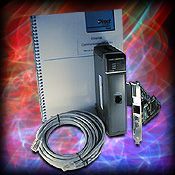
Q: What PC Ethernet card comes with the H2-ECOM-START starter kit?
A: It comes with our PCI Ethernet card HA-TADP.
ECOM FAQ0030 (see also DirectSOFT FAQ129; DS Data FAQ0070; NetEdit FAQ0009)
03-Oct-2002
Q: Does the ECOM work with DHCP? Or does the PC's NIC have to have a static IP
address in order to communicate with an ECOM?
A: The ECOM does not support DHCP addressing, (ECOM100s support DHCP). The
ECOM must have a static IP
address. However, the PC that is talking to the ECOM does not have to have a
static IP address. Things to consider:
- If the NIC's
IP address is not static, it may change to a different IP address without
warning (e.g. reboot of the PC or when the IP address expires).
- A change of the NIC's IP address may have no effect at all (e.g. if you
are only using the NIC for a simple link for DirectSOFT programming).
- A change of the NIC's IP address may result in a
timeout or retry of some transaction with the ECOM (e.g. if the ECOM is doing
RX/WX operations back to the PC).
ECOM FAQ0031 (see also NetEdit FAQ0010)
01-Jul-2002
Q: Trying to use PLC-to-PLC communications between ECOMs but we see
broadcasts across the network; and our router won't pass the broadcast.
A: When the PLC performs an RX or WX instruction through an ECOM, the ECOM
uses a broadcast packet to locate the slave ECOM with the DirectNET Node Number
specified and perform the read or write transaction. These broadcast packets
will increase network usage, and broadcast packets are normally filtered out by
routers, bridges, etc. To work around these issues, NetEdit3 provides a way to
configure the ECOM to use a point-to-point UDP/IP packet to perform the
transaction.
Here is how it works: the RX and WX instructions in the PLC only allow you to
specify a DirectNET Node Number as the slave identifier. This node number will
be in the range of 1-90. In the ECOM there is a "Node Number - to - IP Address"
mapping table. To get to it press the <RX/WX Node Map> button on the "ECOM
Settings" tab.

For each slave ECOM you want to communicate with, find its DirectNET
node number in the table and enter the needed network information. Once this
information is in the table, any RX or WX instruction the ECOM processes for
that slave will use the information in the table instead of a broadcast packet.
You can enter the addressing information manually, but, you'll find it much
easier to use the <Find> button in the Add dialog to add slaves to the table.
"Find" will scan the local network and locate all of the ECOMs. You then simply
pick the slave ECOM from the list and click <OK>; the required information for
the table entry will be automatically generated.

ECOM FAQ0032
28-Aug-2002
Q: Is there a way to embed device specific code in ECOM communications?
A: The ECOM is a slave but it only supports native programming protocols of
the DL PLCs (e.g. K-Sequence, DirectNET). Therefore there is no built-in way for
this to work. You could, however, encode data in V-memory and then use the RX/WX
PLC Instructions to transmit this to a PC. Then on the PC you would have to
properly parse and decode the data. This, of course, would require complete
custom development on both the PC and PLC and would be limited to V-memory.
ECOM FAQ0033
09-Oct-2002
Q: Does the H0-ECOM provide Ethernet connectivity to the DL105?
A: No, the H0-ECOM is only for the DL05 and the DL06. There is no way to use
it with the DL105 because there are no expansion slots in the DL105.
ECOM FAQ0034 (see also
NetEdit FAQ0011; EBC FAQ0004; EDRV FAQ0008; ERM FAQ0024; PBC FAQ0015)
30-Mar-2010
Q: Getting various errors when attempting to update the booter/firmware for my
EBCs, ECOMs, EDRVs and ERMs.
A: First make sure you isolate the device from all other tasks (i.e.
put the PLC in the STOP mode; stop HMI; isolate from busy network
traffic). Secondly, make sure you are using the latest version of
NetEdit3 which can be downloaded for free here:
http://www.hosteng.com/SW-Products/NetEdit3.zip
Here are some common problems experienced:
- (1) After Rescanning, the booter/firmware version doesn't change -
NetEdit is probably getting an error that is not getting reported. Upgrade to
the latest NetEdit (i.e. >v3.4). If this doesn't work then report the error
to us and we can send you ETHER32.EXE which should do it.
- (2) "Error booting to booter" - You are probably using the old
ETHER32.EXE utility. It is much easier to utilize the latest NetEdit3 to
accomplish updates. It has a fully integrated firmware/booter update facility
as well as "live update" feature to retrieve the latest firmware/booter files
from our website.
- (3) "Error! Error 32774 from DownloadBinFile!" - This error 32774 is
sometimes indicated as "Error 0x8006" and simply is a general timeout message.
This simply means that NetEdit3 cannot talk to the device in a consistent
manner (i.e. uninterrupted). Some things that can cause this:
- The network could be too busy, therefore isolate this device and try
again.
- The WinXP firewall could be turned on. If so you must do one of the
following:
(1) Turn the firewall off, or
(2) Create an exception for NetEdit3.EXE application,
or
(3) Create an exception for port #0x7070 (28784) for
both TCP and UDP protocols. which is the port number that all of our Ethernet
devices use for communication.
- (4) "Error 216" - This error means there were severe problems
with either writing the firmware to the device, or verifying what was
written. Usually if you get this error, it leaves the device in the booter
state (i.e. the red ERR light is flashing). In most cases all that is needed
is to make sure you isolate the device from all other tasks (as mentioned
above), and try the update again.
ECOM FAQ0035 (see also SDK FAQ0007)
23-Mar-2004
Q: Do you have any examples using Visual Basic talking to the ECOM?
A: Yes. You need to download the Ethernet SDK (free!) from our website:
http://www.hosteng.com/Ethernet%20SDK/Ethernet%20SDK.htm
Scroll down and download the "Ethernet SDK (Win32 Version)." It is about 1
MByte. It includes examples in both Visual C++ and Visual Basic.
ECOM FAQ0036 (see also CTRIO FAQ0046; EBC FAQ0047; EDRV FAQ0009; ERM FAQ0030; EZ
Ethernet FAQ0018; PBC FAQ0009; PSCM FAQ0001; WinPLC FAQ0018; NetEdit FAQ0014)
07-Nov-2002
Q: What software tool do I use to upgrade/downgrade my Host Engineering
hardware?
A: Refer to the following:
|
Host Hardware |
Part Number |
Firmware/Booter Upgrade Tool |
|
CTRIO |
H0-CTRIO
H2-CTRIO
H4-CTRIO |
CTRIO Workbench |
EBC
EBC100 |
H2-EBC
H4-EBC
T1H-EBC |
NetEdit3 |
| T1H-EBC100 |
NetEdit3 (v3.4 or higher) |
| H2-EBC100 |
NetEdit3 (v3.5 or higher) |
ECOM
ECOM100 |
H0-ECOM
H2-ECOM
H4-ECOM |
NetEdit3 |
H0-ECOM100
H2-ECOM100
H4-ECOM100 |
NetEdit3 (v3.5 or higher) |
|
EDRV |
EDRV |
NetEdit3 |
|
ERM |
H2-ERM
H4-ERM |
NetEdit3 or ERM Workbench |
|
EZ Ethernet |
EZ Ethernet
EZ EtherPLUS |
EZ Touch |
|
PBC |
H2-PBC |
NetEdit3 |
|
PSCM |
H0-PSCM
H2-PSCM |
|
WinPLC |
WinPLC |
WinPLC Workbench |
NOTE: All the firmware for the above products can be downloaded using
NetEdit3's File --> Live Update... The firmware files are stored in c:\HAPTools\Images
folder.
ECOM FAQ0037
17-Dec-2002
Q: Can the ECOM be installed in local I/O expansion slots?
A: No. The following restrictions apply:
- Install H0-ECOM in any slot of the DL05 or DL06.
- Install H2-ECOM in any slot of the DL205 local base except
the slot adjacent to the CPU.
- Install H4-ECOM in any slot of the DL405 local base. Local expansion slots
are not recommended.
ECOM FAQ0038
09-Nov-2004
Q: What Modbus TCP Function Codes are supported in the ECOM100?
A: There are 2 ways to look at that question. One way is if the ECOM100 happens
to be the client (i.e. Modbus TCP master) and the other way is if the ECOM100
happens to be the server (i.e. Modbus TCP slave).
Modbus TCP
Function Code |
Description |
ECOM100 |
Modbus TCP
Client (Master) |
Modbus TCP
Server (Slave) |
| 01 |
Read Coils |
ü |
ü |
| 02 |
Read Inputs |
ü |
ü |
| 03 |
Read Holding Registers |
ü |
ü |
| 04 |
Read Input Registers |
ü |
ü |
| 05 |
Force Single Coil |
|
ü |
| 06 |
Preset Single Register |
|
ü |
| 15 |
Force Multiple Coils |
ü |
ü |
| 16 |
Preset Multiple Registers |
ü |
ü |
To see how to get make the ECOM100 do the specific FC and get the various
offsets into the Modbus TCP addresses; download this
ECOM100 Server Client Mapping.PDF file.
ECOM FAQ0039
04-Mar-2004
Q: Does the ECOM support the DNP (Distributed Network Protocol) protocol?
A: No, but we here at Host Engineering have been known to make special modules
if it is profitable for us. Let us know how many you need per year.
ECOM FAQ0040 (see also DS Data FAQ0087; DirectSOFT FAQ0180; NetEdit FAQ0012;
EBC FAQ0052; EDRV FAQ0010; ERM FAQ0034; EZ Ethernet FAQ0026)
27-Apr-2004
Q: Getting various errors when attempting to use NetEdit to see or establish a
link to a Host Ethernet device.
A: Here are know errors and their suggested solutions:
CAUTION: You may want to consult your Network Administrator before doing any
of the solutions below! He/she may not want you to change your PC's setup at
all!
- (1) "Error 10047" - This is an error from Microsoft Winsock. Formally
it is known as "WSAEAFNOSUPPORT" and is described as, "Address family not
supported by protocol family. An address incompatible with the requested
protocol was used. All sockets are created with an associated address family
(that is, AF_INET for Internet Protocols) and a generic protocol type (that
is, SOCK_STREAM). This error is returned if an incorrect protocol is
explicitly requested in the socket call, or if an address of the wrong family
is used for a socket, for example, in sendto."
Possible causes:
(1) IPX protocol is not installed for your NIC.
(2) TCP/IP protocol not installed for your NIC.
(see ECOM FAQ0043 for installing
protocols)
- (2) "Error 10051" - This is an error from Microsoft Winsock. Formally
it is known as "WSAENETUNREACH" and is described as, "Network is
unreachable. A socket operation was attempted to an unreachable network. This
usually means the local software knows no route to reach the remote host. Very
similar to Error 10065 WSAEHOSTUNREACH only this is usually related to IPX
protocol."
Possible causes:
(1) NIC is disabled.
(2) IPX protocol is not installed for your NIC (see
ECOM FAQ0043 for
installing protocols).
- (3) "Error 10061" - This is an error from Microsoft Winsock. Formally
it is known as "WSAECONNREFUSED" and is described as, "Connection refused.
No connection could be made because the target computer actively refused it.
This usually results from trying to connect to a service that is inactive on
the foreign host---that is, one with no server application running."
Possible causes:
(1) You have a firewall software installed and enabled (e.g. ZoneAlarm).
(a) Uninstall it, or...
(b) Disable it, or...
(c) Poke a hole in it by making exceptions for
the NetEdit3.EXE application or for TCP Port # 0x7070 (28784 decimal).
- (4) "Error 10065" - This is an error from Microsft Winsock. Formally it
is known as "WSAEHOSTUNREACH" and is described as, "No route to host. A
socket operation was attempted to an unreachable host. Very similar to Error
10051 WSAENETUNREACH only this is usually related to TCP/IP protocol."
Possible causes:
(1) NIC is disabled.
(2) TCP/IP protocol is not installed for your NIC.
(3) Your NIC and the Host Ethernet device are on different subnets:
(a) Change your NIC's TCP/IP address to put it on
the same subnet as the Host Ethernet device, or...
(b) Change your Host Ethernet device's TCP/IP
address to put it on the same subnet as the NIC, or...
(c) Change the subnet mask in your network
configuration settings.
-
(5) "Error reading configuration values from device."
First of all, there was a bug in versions of NetEdit
previous to v3.1, that when you pressed the Query Network button this
error could pop up. If this is the case then you just need to download
a later copy (at least v3.1) of NetEdit from our website. If this is
not the case then notoriously, this error is caused by one of the
following:
- Is the EBC/ECOM/EDRV/ERM/EZ Ethernet powered up properly? If not, make sure it is.
- Is the LINK GD (link good) light on? This indicates that the cabling is good.
- While
using NetEdit, does the ACTIVE light blink when changing protocols from
IPX to UDP/IP? This indicates that the EBC/ECOM/EDRV/ERM/EZ
Ethernet is seeing Ethernet packets.
- Is the IPX protocol loaded for the NIC you are using and enabled? (see
ECOM FAQ0043
for installing protocols). There are fewer things to mess up with IPX,
so it is the better protocol to use when trying to diagnose the problem.
- Is
there just one NIC in the PC? If not, then it is possible that the
packets are going out one or both NICs but being received by the
“wrong” NIC as seen from NetEdit.
- Is
there just one LAN connection loaded for the NIC? Multiple LAN
connections (e.g. WAN network driver) can cause similar problems as
with two NICs.
- Is the Network Number for the IPX protocol set to 00000000? If not, it must be, or it will not talk.
- Is
the NIC running at 10Mpbs? (disconnect NIC cable; reboot PC; reconnect
NIC cable). If it is trying to run at 100Mbps, it will not talk.
- Do
you have "802.1p QoS packet tagging" enabled? If so, disable it (Device
Manager, Network Adapter, Properties, Advanced). This adds information
to the IPX and TCP/IP packets that is not understood by NetEdit.
- Is
there firewall software loaded (e.g. ZoneAlarm)? This can interfere
with the IPX and the TCP/IP protocol packets. We have to disable this
software to get ours to talk properly.
- Is the network hardware verified? (cabling / hub / EBC/ECOM/EDRV/ERM/EZ
Ethernet / NIC)?
If none of these things fix the problem, then it is possible that the EBC/ECOM/EDRV/ERM/EZ
Ethernet device is defective and you may need to send it in for repair.
- (6) Nothing shows up in the list, or not all devices show up in the
list, or list shows incomplete data.
NetEdit sends out a broadcast and waits 600 ms for devices to respond. If
the devices take longer than this to respond they will be missing from the
list. After the responses are gathered, NetEdit makes a list and then polls
each device in the list to get detailed data, but waits only 250ms for
response from each device. If the device takes longer than this to respond
some of its data may be missing. This is not a problem on a normal wired
network, but can be a problem on a wireless network where responses can
inadvertently be long and inconsistent. Also, since a broadcast is used if the devices
are on the other side of a LAN or WAN, these network devices by default will
usually block broadcast
packets. However, this does not necessarily mean that you cannot ping the
devices (TCP/IP protocol) and/or use DirectSOFT to link to them (e.g. by manually
entering the IP address). In general, however, problems like this can also be
caused by the
things listed in bullet (5) above.
- (7) The "C" column indicates an asterisk (*), but there are no
conflicts with addresses on the network.
An asterisk in the "C" column means NetEdit "sees" an address conflict
on the network. First, make sure that no IP addresses are the same between
the devices that NetEdit sees on the network and the devices NetEdit doesn't
see on the network (i.e. PCs, servers, etc.). Second, make sure none of the
IDs of any of the devices in NetEdit are the same. If there are no
conflicts, this could be caused by an older version of NetEdit. Therefore
make sure you have at least NetEdit3 v3.6c or later.
ECOM FAQ0041
30-Mar-2004
Q: Using H4-ECOM, it normally shows up as D4-DCM in the "Config I/O" of
DirectSOFT, but
sometimes if the power is cycled, the DL405 loses its configuration and the
H4-ECOM shows up as a "D4-SF Module" with a Module ID of "FF."
A: As part of its power-up procedure the DL405 CPU scans the backplane
and uses the number (Module ID) it finds in a particular location in
the ECOM's shared RAM to identify the module. In previous versions of
the ECOM booter (less than v3.0.154) this Module ID was written by the
ECOM firmware. However, to ensure that this value is in place when the
DL405 CPU scans the backplane, the Module ID value is now initialized
by the booter instead of the firmware. Thus, upgrading the H4-ECOM to
at least booter version v3.0.154 should fix the problem.
ECOM FAQ0042 (see also
DirectSOFT FAQ0048; DL Plus FAQ0009; DNLoader FAQ0010; DSData FAQ0005; EZ
Ethernet FAQ0008; HA-TADP FAQ0002; Lookout Direct FAQ0014; NetEdit FAQ0005; SDK
FAQ0020)
31-Jan-2008
Q: Why doesn't the ECOM use subnet mask or gateway address like the ECOM100?
A: Since the ECOM doesn't do "master"-type communications, it doesn't use
the subnet mask or gateway address. Whatever talks to the ECOM will be using IPX
or UDP/IP, and the ECOM simply swaps the destination and source addresses in the
telegram and responds in this way, not "caring" about the subnet or gateway.
However, the ECOM100 acts more like a conventional TCP/IP device. The ECOM100
has the capability to be a master and has a full-blown TCP stack inside. Thus,
if it is to transmit to an IP address not on its subnet, it will, of course,
transmit to its configured gateway address instead.
ECOM FAQ0043 (see also DirectSOFT FAQ0183; DS Data FAQ0093; EBC FAQ0057;
EDRIVE FAQ0012; ERM FAQ0037; EZ Ethernet FAQ0027; NetEdit FAQ0017)
27-Sep-2010
Q: How can I install IPX protocol for my NIC?
A: You can find instructions on how to do this for your particular
operating system by going to Start --> Help & Support and searching for "Install
NWLink." Below are the instructions from Microsoft for doing this on a WinXP PC.
The instructions are similar for other operating systems (e.g. WinNT, Win98,
WinME, Win2K).
To install NWLink IPX/SPX/NetBIOS Compatible Transport Protocol
(1) Open Network Connections:
(a) Click Start -->
Settings --> Control Panel.
(b) Double-click Network
Connections.
NOTE: You must be a member of the
Administrators group to install protocols. Also, when IPX is installed it is
installed for all your connections. If you don't want it installed for a certain
connection, then right-click that connection, click Properties and, on
either the General or Networking tab, clear the NWLink IPX/SPX/NetBIOS
Compatible Transport Protocol check box.
(2) Right-click a local area connection, then click Properties.
(3) On the General tab, click Install.
(4) In the Select Network Component Type dialog box, click
Protocol, and then click Add.
(5) In the Select Network Protocol dialog box, click NWLink IPX/SPX/NetBIOS
Compatible Transport Protocol, and then click OK.
IMPORTANT: The IPX/SPX protocol is not available on WinXP 64-Bit
Edition, WinVista or Win7.
ECOM FAQ0044 (see also DS Data FAQ0094)
26-Jul-2005
Q: Can DS Data be used with an ECOM100 that has a dynamic IP address (given
by a DHCP server)?
A: It would work for a while, but if the IP address of the ECOM100
expires and it requests for and gets a different IP address from the DHCP
server, then the DS Data link will no longer function and you would have to go
back to DS Data and manually change the link to match the latest IP address of
the ECOM100.
ECOM FAQ0045
10-Mar-2009
Q: What does the red error light mean on the ECOM/ECOM100 and what causes it?
A: If the error (ERR) light comes on (or is flashing), this means a
fatal error occurred. There are mainly 4 reasons why this red light might come
on:
- Electrical noise - Some things to consider:
- Use good installation practices:
(1) Use good quality Ethernet cabling.
(2) Move the noisier cabling (HV lines, drive
cables, motors, etc.) away from the Ethernet cabling.
(3) Noisier I/O modules may need to be moved as
far away in the base as possible from the ECOM/ECOM100.
(4) Don't route discrete I/O wiring in the same
wireways as Ethernet and analog cables.
(5) Pay close attention to the entire system's
grounding strategy and layout (a schematic may be helpful here).
(6) Attention to detail is important. Some of the
simplest things can be the source of the greatest improvements.
- Electrical noise on Ethernet cabling is very critical.
- Noise can also be conducted via power supply (especially in a DL205 PLC
system).
(1) Install line surge suppressors.
(2) Install line filters
- Radiated noise is problematic for ECOM100s (versus ECOMs) due to the
higher frequencies of operation.
- Radiated noise can also come from noisy I/O modules in the base (e.g. a
relay output module switching 220 vac without snubbers).
- All noise is additive, so efforts in all areas will result in a more
robust system.
- ECOM100 firmware issues using Modbus TCP - Some things to
consider:
- If you are using an ECOM, then, of course, it cannot do
Modbus TCP, so this need not be considered.
- As far as we know, we have repaired every Modbus-TCP-related issue that
would cause the ECOM100 to crash. However problems of crashing and turning
the red light on did occur in earlier versions. But these were all fixed in:
H0-ECOM100 v4.0.144 (or later)
H2-ECOM100 v4.0.1155 (or later)
H4-ECOM100 v4.0.1155 (or later)
- RX/WX instruction mismanagement - In the ladder program it is
very important to utilize the SP-Busy bit and not execute RX/WX
instructions without first checking if the ECOM100 is busy with a previous
request. If RX/WX instructions are indiscriminately executed without
consideration of the SP-Busy bit for that slot, then it could happen that
the RX/WX instruction is writing over top of the request at the same time
the ECOM100 is reading the request. If this happens, unpredictable things
could occur; the worst of which would be a fatal red light fault on the
ECOM100.
- DL06 backplane timeout - Some things to consider:
- On very rare occasions it is possible that if the ECOM/ECOM100 takes
longer than 3 seconds to complete a task over Ethernet, that the DL06
firmware will time out across the backplane. When this happens the DL06
actually tells the ECOM that the ECOM is not busy (even though it still is!)
by resetting the SP-Busy bit himself (instead of waiting on the ECOM). This
resets critical pointers in the ECOM's memory and could cause it to lock up
(but sometimes it recovers).
- Currently the only work-around for this situation is to assure that the
ECOM times out before the DL06 does; this will keep the
DL06 from resetting the pointers in the ECOM's memory. To do this, change
the ECOM's parameters such that:
ACK Timeout x (Retries + 1) < 3000 ms
Response Timeout x (Retries + 1) < 3000 ms
The DL06 firmware should be fixed so that it doesn't do this in the near
future.
ECOM FAQ0046
03-Oct-2008
Q: What is the Viewer.EXE program used for in the Report-by-Exception (RBE) .ZIP file?
A: This program is used to view the transmitted telegrams coming from
the ECOM/ECOM100 to the PC's NIC. Also, if the RBE header in the PLC is
configured to expect data back from the PC, and the PLC has the proper RX
instruction for receiving this data, Viewer.EXE also sends a string back
containing "Reply:" followed by an ever-increasing number counting the number of
telegrams being sent back.
ECOM FAQ0047
17-Aug-2005
Q: Downloaded the Report-by-Exception (RBE) example, but cannot open
the DirectSOFT project; get "DirectSOFT recognizes the document
<filename> but the required features or support level are not
installed.".
A: The RBE.PRJ example project was written for a DL205. If you have a
DirectSOFT programming package that doesn't support programming the DL205, then
you will get this message. You can download the same project only with the CPU
type changed to DL06 here.
NOTE: The project for the DL06 was not tested on the DL06, or an H0-ECOM /
H0-ECOM100. Thus changes will probably have to be made in the area of SP bits
and/or slot numbering. We will release an example that works directly with the
DL06 at a later date.
ECOM FAQ0048
07-Sep-2005
Q: Can the Report-by-Exception (RBE) feature of the ECOM/ECOM100 be used to
send data to any device that supports Ethernet?
A: Theoretically, yes, if the device supports TCP/IP protocol. But the
data that you get, after the TCP/IP layer is "peeled off" is just data from the
V-memory of the PLC that the ECOM/ECOM100 has sent. What does the device do with
this data? What does this data mean? In other words, unless there exists a
program on the receiving device that can make sense out of the data, then the
communication is useless.
ECOM FAQ0049 (see also DirectSOFT FAQ0189; DS Data FAQ0095)
07-Sep-2005
Q: What kind of security measures can be taken for an ECOM/ECOM100 connected
to the Internet?
A: There are no security measures built into the ECOM/ECOM100 to help
with this. The Koyo PLCs have password protection (the DL205 family even has HMI
level passwords), but once the PLC is unlocked, it is unlocked for anybody to
access. Probably the best and easiest thing is to have your IT (Internet
Technology) people set up a VPN (Virtual Private Network) so that only certain
predetermined PCs can have access to the ECOM/ECOM100's network.
ECOM FAQ0050
13-Jun-2011
Q: Is there any configuration necessary to get the ECOM100 to talk Modbus
TCP?
A: This depends. If you are going to use the ECOM100 as a Modbus TCP
server (slave), then there is no configuration necessary (except for the normal
IP Address). However, if you plan on using the ECOM100 as a Modbus TCP client
(master), then you have to configure the Peer-to-Peer parameters. This is done
using NetEdit3 (right-click on ECOM100, select Peer To Peer Configuration), or
an HTML Browser (select Peer to Peer).
For example, let's say you have an H0-ECOM100
that you want to talk Modbus TCP to a T1H-EBC100 to read the T1F-16RTD analog
input temperature readings. These are the major steps:
- Make sure the H0-ECOM100 and the
T1H-EBC100 both have valid IP addresses and they are on the same subnet.
- Make sure dipswitch7 on the H0-ECOM100 is
on (this is to make it work with IBoxes).
- Configure
peer-to-peer table in the H0-ECOM100 using NetEdit
(right-click on module, select Peer to Peer Configuration), then add
a Modbus TCP configuration pointing to the IP address of the T1H-EBC100. The
RXWX Device Number you give this configuration is how the ECRX in
ladders will reference the configuration.
- Find the addressing of the T1F-16RTD
module in the T1H-EBC100 using NetEdit (right-click on the
T1H-EBC100, select Show Base Contents). The Modbus addressing is
given in parentheses.
- Convert the Modbus address of the module
to V-memory. Remember V-memory is octal but Modbus addressing is decimal.
Since the T1F-16RTD module is an input, it will show up in the 30000 range.
V0 = 30001
V1 = 30002
...
V7 = 30008
V10 = 30009
...
V41117 = 46976 (or 316976)
(Assumption is made that you are familiar with Modbus address notation)
- Program ECOM100 IBox at the top of your
ladders.
Program ECRX with an input leg at whatever frequency you want to read the
RTD module. The special things about the parameters of the ECRX:
- ECOM100#: Match the ECOM100# for the ECOM100 IBox.
- Slave ID: Match the RX/WX Device Number configured in the
H0-ECOM100's Peer to Peer Configuration.
- From Slave Element (Src): The V-memory equivalent of the Modbus
address you calculated above.
- Number Of Bytes: This is VERY important. This is a byte count and
since Modbus is always a register (i.e. 2 bytes = 1 register/word), then
this number is normally always an even number (e.g. 2, 4, 6, etc.). However,
if you use an even number here it will cause the H0-ECOM100 to generate a
Modbus FC03 (Read Holding Registers). But your RTD module isn't a Holding
Register (e.g. 40000 range), but an Input Register (e.g. 30000 range). In
order to make the H0-ECOM100 do a Modbus FC04 (Read Input Registers) you
must use an odd length here. So if you want to read 1
register (i.e. 2 bytes), normally you would put K2, but add one and make it
K3 instead.
- To Master Element (Dest): Where in the local PLC you want to store
the readings.
ECOM FAQ0051 (see also EBC FAQ0059; EDRIVE FAQ0013; ERM FAQ0040; EZ Ethernet
FAQ0028; NetEdit FAQ0022)
22-Sep-2005
Q: I inadvertently changed the IP address of my Host Engineering Ethernet
device and now NetEdit cannot find it, nor can I ping it. How can I get it
"back?"
A: It can be changed using IPX protocol:
- If IPX protocol is not installed for your PC's NIC, then install it (see
ECOM FAQ0043 above).
- Select IPX protocol in NetEdit3 and edit the IP address.
ECOM FAQ0052 (see also EBC FAQ0061; EDRIVE FAQ0015; ERM FAQ0042; EZ Ethernet
FAQ0029; HA-TADP FAQ0005; WinPLC FAQ0028)
29-Sep-2005
Q: Do any of your Ethernet devices support the next generation of Internet
(IPv6)?
A: No; nor do we have any plans to implement it at this time.
ECOM FAQ0053 (see also EBC FAQ0065; EDRV FAQ0017)
20-Feb-2009
Q: Using a 3rd-party Modbus TCP master (e.g. Wonderware), when multiple
requests are sent to the ECOM100, EBC100, or EDRV, sometimes some of the packets
timeout.
A: The firmware of these devices were originally set up to do one
transaction at a time. Multiple requests to different TCP port numbers was not a
problem. This problem was fixed in:
H0-ECOM100 firmware version 4.0.52 (or later)
H2-ECOM100 firmware version 4.0.999 (or later)
H2-EBC100 firmware version 4.0.464 (or later)
T1H-EBC100 firmware version 4.0.1309 (or later)
GS-EDRV firmware version 1.1.267 (or later)
ECOM FAQ0054 (see also EBC FAQ0067)
30-Sep-2005
Q: Does the EBC100 or the ECOM100 support Allen-Bradley Ethernet/IP protocol?
A: No. However, both the EBC100 and the ECOM100 support Modbus TCP. Prosoft
Technology makes a Modbus TCP card that plugs into Allen-Bradley systems that
could be used to talk to them.
ECOM FAQ0055 (see also EBC FAQ0069; EDRIVE FAQ0018; ERM FAQ0044; EZ Ethernet
FAQ0030; HA-TADP FAQ0006; WinPLC FAQ0032)
15-Nov-2005
Q: What types of Ethernet framing do your Ethernet products support?
A: All our Ethernet products (ECOM, ECOM100, EBC, EBC100, EDRV, ERM, EZ
Ethernet, EZ EtherPLUS, HA-TADP and WinPLC) all support the following types of
Ethernet framing:
- IEEE 802.2
- IEEE 802.3
- Ethernet II
- Ethernet SNAP
ECOM FAQ0056
19-Jul-2004
Q: What are the advantages of the ECOM100 over the ECOM?
A: Mainly the following:
- Supports 100 Mbps Ethernet.
- Supports not only UDP/IP and IPX like the ECOM, but also TCP/IP and Modbus
TCP.
- Supports DHCP addressing.
- Supports a Gateway.
- Can do e-mail.
ECOM FAQ0057
19-Jul-2004
Q: Does the ECOM100 have a web server?
A: No. Another company has a patent on that so we have no plans of adding
this feature.
ECOM FAQ0058
09-Sep-2005
Q: When the H0-ECOM100 is plugged into the DL06 rack, the D0-06LCD display
doesn't work properly.
A: This is a problem with the FPGA (Field Programmable Gate-Array) on the
H0-ECOM100. An older CPU Revision (v1.1.2) is broken. (This is not firmware!).
To see your CPU Revision number, use NetEdit, click on your H0-ECOM100 then look
down at the bottom window on the Module Info tab. You will see:
CPU Rev: 1.1.2
The CPU Revision 1.1.2 is the one that is broken. The status of these CPU
Revision numbers is:
- 1.1.1 works 99.9% of the time with the D0-06LCD.
- 1.1.2 fails with the D0-06LCD.
- 1.1.3 works with the D0-06LCD.
Unfortunately, this is not something that can be fixed in the field. It
involves a change to the FPGA on the board. So here are the options:
- Contact Host Engineering Technical Support
(support@hosteng.com) and ship your
H0-ECOM100 to us for a free upgrade (normally).
- Order another H0-ECOM100 (that has CPU Revision 1.1.3) and use the new one
in this DL06 with the D0-06LCD display. Use the older one (CPU Revision 1.1.2)
in other DL06s you might have that will not be using the D0-06LCD display.
NOTE: The most reliable way to tell whether you have an
H0-ECOM100 that does not work with the D0-06LCD display is by reading the CPU
Revision as displayed in NetEdit as previously described. However, most new
H0-ECOM100s with a PWB Revision 2C or later are shipped with the fixed FPGA (CPU
Revision 1.1.3) that works. You can view the PWB Revision on the label of the
H0-ECOM100.
ECOM FAQ0059 (see also
DirectSOFT FAQ0067)
22-Sep-2009
Q: When using the IBox ECEMAIL (IB-711), getting various error codes:
A: These error codes are defined in the description of SMTP protocol
called RFC 821. Here are some of the specific codes we have seen and their
solutions. Otherwise, you can download RFC 821 here,
or download this PDF
with some sample solutions, or look up the error codes on the Internet to find
other solutions:
- Error Code 550 - This reply means "Requested actions
not taken, mailbox unavailable" This response can be caused by quite a
few situations (see the PDF file above). However one of the most common is
that the PLC date that is being read by the ECEMAIL (IB-711) IBox, is set to
a date/time that is too old for your e-mail server's SPAM filter. In other
words, the date in the PLC is too early (usually by several years) than the
current date, and thus the SPAM filter rejects it outright as SPAM.
- Error Code 554 - This reply means "Message does not
conform to standards." The most common cause of this is if you are using
MDaemon v9.5.2 and have earlier ECOM100 firmware. The problem is caused by a
combination of the ECOM100 leaving the DATE field empty and the default
settings of MDaemon v9.5.2 requiring that this field have a legitimate date
entered. Following is the behavior of later versions of ECOM100 firmware to
fix this problem:
These versions provide a fixed DATE field of 01/01/2000 00:00:00 (i.e.
January 1, 2000, 0hrs 0mins 0secs). Some e-mail servers may interpret
this DATE as 12/31/1999 00:00:00 (i.e. December 31, 1999, 0hrs 0min 0secs):
H0-ECOM100 v4.0.167
thru 4.0.173
H2-ECOM100 v4.0.1237 thru
4.0.1299
H4-ECOM100 v4.0.1237 thru
4.0.1299
These version provide the PLC date setting in the DATE field:
H0-ECOM100 v4.0.210 (or
later)
H2-ECOM100 v4.0.1397 (or later)
H4-ECOM100 v4.0.1397 (or later)
- Error Code 573 - This is not a legal reply code.
"5yz" means "Permanent negative completion reply"
"x7z" has no meaning at all (i.e. an illegal
response from your mail server)
"xy3" has no meaning either since the "7" has no
meaning.
Thus only the manual (or the source code) of your
e-mail sever could tell you the meaning behind a "573" response.
ECOM FAQ0060 (see also NetEdit FAQ0024)
14-Dec-2004
Q: Using NetEdit with ECOM/ECOM100; in the Advanced Settings, what is the
difference between "RX/WX Settings - Retries" and "KSequence Settings -
Retries"?
A: "RX/WX Settings - Retries" is the number of times the ECOM/ECOM100 will
attempt a comm over the network for an ECOM-to-ECOM (Peer-to-Peer)
communication.
"KSequence Settings - Retries" is the number of times the ECOM/ECOM100 will
attempt a comm over the backplane to the DL-PLC.
ECOM FAQ0061 (see also EBC FAQ0070; EDRIVE FAQ0019; ERM FAQ0045; EZ Ethernet
FAQ0031; HA-TADP FAQ0007; WinPLC FAQ0033)
22-Feb-2005
Q: Are the Host Engineering Ethernet products compliant to AS ISO 15745?
A: No.
ECOM FAQ0062 (see also NetEdit FAQ0025)
15-Mar-2005
Q: When using the ECOM100 as a Modbus TCP Client (Master) with the RX/WX
instructions reading/writing to a Modbus TCP Server (Slave; e.g. ProSoft
Technology module for Allen-Bradley PLC), keep getting timeout errors.
A: This could be caused by one or both of the following issues:
- The ECOM100 firmware has a bug that causes it to terminate the
Modbus TCP connection after 250ms. Suggested solutions to this one:
o - Improve the speed of the Modbus TCP Server (Slave).
o - Increase the "Modbus Settings - Timeout" value under the ECOM Advanced
Settings in NetEdit. (right-click on your ECOM100 in NetEdit and select
Advanced...). If the Modbus settings are not available in NetEdit then you
need to upgrade NetEdit (see below).
o - Upgrade the ECOM100 firmware to:
- H0-ECOM100 v4.0.52 (or later)
- H2-ECOM100 v4.0.914 (or later)
- You need to increase the "Modbus Settings - Timeout" value under the ECOM
Advanced Settings in NetEdit, but this option is not available. If that is the
case you need to:
o - Upgrade NetEdit to at least v3.6
ECOM FAQ0063
01-May-2008
Q: When more than 1 H0-ECOM100 is installed in the DL06, the D0-16ND3 input
card indicates the wrong status for some of the inputs.
A: This was caused by the H0-ECOM100 incorrectly having a buffer enabled on
the backplane of the DL06. This extra loading of the buffer could affect the
ability of the DL06 to read some of its I/O if more than 1 H0-ECOM100 was used
in the DL06. A single H0-ECOM100 would not cause the problem, it takes possibly
2 and certainly 3 for this to interfere.
This problem was fixed in CPU Rev 1.0.1 for the H0-ECOM100.
The CPU Rev can be seen using NetEdit in the Module Info at the bottom of the
window.
ECOM FAQ0064
24-May-2005
Q: When using the ECOM100 as a Modbus TCP Client (Master), why is it not
possible to do Function Code 04 (FC04) - Read Input Registers in the 30001+
address range?
A: This is because of the limitation of the RX/WX instruction in the DL-PLCs.
When the data type is specified, nothing other than V-memory can be picked. In
other words, it is not possible to choose whether you want to read the Holding
Registers (40001+ address range) or the Input Registers (30001+ address range).
So we had to choose which one to use. Since the Input Registers are specified to
be "read-only" then we opted to use the Holding Register range (since it is
"read/write"). However, there is now a solution! We added a feature to the
ECOM100 firmware that allows you to force the RX/WX instructions to distinguish
between a read/write to the Input Registers (30001+ address range) and the
Holding Register range (40001+ address range). This is done by specifying an
odd-numbered length instead of the normal even-numbered length. Thus:
Even-numbered length --> Do RX/WX for the Holding Registers (400001+ address
range).
Odd-numbered length --> Do RX for the Input Registers (30001+ address range).
Can't do a WX simply because by definition Input Registers are "read-only."
The versions of firmware that have this feature are:
H0-ECOM100 v4.0.52 (or later)
H2-ECOM100 v4.0.999 (or later)
H4-ECOM100 v4.0.1031 (or later)
Refer to the ladder diagram below where the ORD K1 instruction is used to
change the length parameter (LD K12) to an odd value, thus specifying that the
RX read 12 bytes from the Input Registers (30001+ address range) and not the
Holding Registers (40001+ address range). The same thing could be done by just
making the length parameter LD K13 and leaving out the ORD K1 instruction
altogether, but we like being able to look at the actual length of bytes (K12)
in the ladders:

ECOM FAQ0065
18-Jul-2005
Q: When using ECOM100s as Modbus TCP Clients (masters) or Servers (slaves),
sometimes the communication just stops for no apparent reason.
A: This is a bug in the ECOM100 firmware. Firmware that fixes this problem
is:
H0-ECOM100 v4.0.52 (or later)
H2-ECOM100 v4.0.999 (or later)
ECOM FAQ0066
10-Oct-2005
Q: When using an ECOM100s as Modbus TCP Server (slave), if multiple requests
are sent to it, it ignores all of them but the first one.
A: This is a bug in the ECOM100 firmware. This happened because the
originally it wasn't designed to handle this. If the ECOM100 received additional
read or write requests from the same client before it had a chance to respond to
the first request, then those intervening requests would be ignored. Firmware
that fixes this problem is:
H0-ECOM100 v4.0.52 (or later)
H2-ECOM100 v4.0.999 (or later)
ECOM FAQ0067 (see also EDRIVE FAQ0021)
01-Apr-2005
Q: Can't get my ECOM100 as a Modbus TCP Client (master) to communicate
properly to my GS-EDRV.
A: This is a bug in the ECOM100 firmware. Firmware
that fixes this problem is:
H0-ECOM100 v4.0.52 (or later)
H2-ECOM100 v4.0.914 (or later)
ECOM FAQ0068
30-Nov-2005
Q: Does the ECOM / ECOM100 support SNMP traps?
A: No.
ECOM FAQ0069
02-Feb-2006
Q: Getting communication errors using Citect HMI Modnet_20503 001 driver (KoyoNet)
talking to H0-ECOM100.
A: This could be a Citect setup problem. Check to see if the Citect driver
is set to disconnect when no data is required. If this is the case, then it
should instead be set to run all the time. Of course, the errors might also be
unrelated to Citect. See ECOM FAQ0024 above for other suggestions to communication
problems in general.
ECOM FAQ0070
03-Jan-2006
Q: Using DataWorx and the ECOM100 only sends one data packet and then stops
communicating. Also, in Config I/O the ECOM100 shows up as
"D0-06DD1:3,3,3,3,3,3,3,3."
A: This is most likely a bug in the ECOM100 firmware. This problem was fixed
in:
H0-ECOM100 v4.0.119 (or later)
H2-ECOM100 v4.0.1031 (or later)
H4-ECOM100 v4.0.1031 (or later)
ECOM FAQ0071
03-Jan-2006
Q: Using DL06 with D0-DEVNETS module and H0-ECOM100, the D0-DEVNETS doesn't
show up on the network.
A: This is a bug in the H0-ECOM100 firmware. This problem was fixed in:
H0-ECOM100 v4.0.73 (or later)
ECOM FAQ0072
22-Sep-2005
Q: H2-ECOM100 will not communicate properly using ECOM-to-ECOM with any
firmware later than v4.0.877.
A: This is probably due to a hardware issue in earlier ECOM100s that was
fixed in later versions. This hardware issue was corrected with two changes:
- PWB version was taken from 3B to 3C to correct the Ethernet core for
high-message traffic.
- The above PWB version required that the CPU version also be taken from v1.0.x
to v1.1.2.
If newer firmware (newer than v4.0.877) is installed on older H2-ECOM100
hardware (i.e. earlier than 3B) then communication problems could be the result
depending on the application.
Thus, check to see if your H2-ECOM100 has old PWB hardware and old CPU
revision. You can view these on the Module Info tab in NetEdit. If you do then
you may want to talk to Automation Direct or Host Engineering technical support
and send the H2-ECOM100 back in for upgrading.
ECOM FAQ0073
21-Nov-2005
Q: On my wireless network, it is possible to ping other devices on the
network, but not the ECOM100.
A: More than likely this is a problem with the network components and their
settings. However, we added a feature in the ECOM100 firmware that causes it to
send out a gratuitous ARP request telegram every 60 seconds. This telegram could
help with many wireless network issues like this in that the devices on the
network will "learn" who the ECOM100 is. This feature was added to:
H0-ECOM100 v4.0.119 (or later)
H2-ECOM100 v4.0.1031 (or later)
H4-ECOM100 v4.0.1031 (or later)
ECOM FAQ0074
02-May-2008
Q: Using ECOM100 as Modbus TCP Master (Client) and on rare occasions either
the red ERR light comes ON, or the RX/WX instructions stop working. All other
communication works fine (e.g. NetEdit, DirectSOFT, etc.).
A: This problem surfaces when the communications happens to be interrupted
repeated as in electrical noise problems, unplugging/replugging the cable or
communications over wireless network. The problem has to do with a bug in the
ECOM100's firmware. This bug was fixed in:
H0-ECOM100 v4.0.218 (or later)
H2-ECOM100 v4.0.1401 (or later)
H4-ECOM100 v4.0.1401 (or later)
ECOM FAQ0075
10-Oct-2005
Q: Using Wonderware with the ECOM100 and it works most of the time, but keep
getting timeout messages.
A: If this is not a networking issue (like electrical noise), then it is
possible that this is due to a bug in the TCP/IP stack in the ECOM100 firmware.
This bug was fixed in:
H0-ECOM100 v4.0.119 (or later)
H2-ECOM100 v4.0.1031 (or later)
H4-ECOM100 v4.0.1031 (or later)
ECOM FAQ0076
08-Feb-2006
Q: How can I do Peer-to-Peer (ECOM-to-ECOM) communications over Internet?
A: Of course, we do not recommend this! But you can actually make it work.
Basically, there are 4 steps:
- The source ECOM/ECOM100 and destination ECOM/ECOM100 must have IP
addresses.
- The source ECOM/ECOM100 must have the proper Peer-to-Peer table
configuration.
- The destination ECOM/ECOM100 must be made accessible over the Internet.
- The source PLC must have RX/WX ladder code.

Now the how-tos:
I. The source ECOM/ECOM100 and destination ECOM/ECOM100 must have
IP addresses.
A. Use NetEdit, double-click on both the source and destination ECOM/ECOM100s and give them
each your chosen IP addresses. NOTE: In order to do this you will have to be
connected directly to the network of each. You cannot use NetEdit over the
Internet because NetEdit uses broadcasts to find ECOM/ECOM100s, and all Internet
routers block broadcasting. For example of giving IP Addresses:
1. For the source ECOM/ECOM100:
IP Address = 192.168.27.1
2. For the destination ECOM/ECOM100:
IP Address = 12.69.41.166
NOTE: Host Engineering, Inc has an ECOM on the
Internet that you can practice configuring a link to. Its IP Address is
12.69.41.166. We do NOT have multiple ECOMs/ECOM100s
on the Internet; only one.
II. The source ECOM/ECOM100 must have the proper Peer-to-Peer table
configuration.
A. Use NetEdit, right-click on the source ECOM/ECOM100 and chose
Peer-to-Peer Configuration...
B. Click on the <Add...> button and enter the Device #, IP Address and Ethernet
address for the destination ECOM/ECOM100. For example:
1. For the source ECOM/ECOM100:
RX/WX Device Number = 1
Device Configuration = ECOM
IP Address = 12.69.41.166 (This is either the Internet IP address of the
destination ECOM/ECOM100, or it is the Internet IP address of the destination
gateway/router depending on which method you use in step III. below).
Ethernet Address: = 00 E0 62 20 00 27 (Since this is a physical address, it
makes no sense for this to be the Ethernet Address of the destination ECOM/ECOM100.
Instead, this should be the address of the source ECOM/ECOM100's gateway.)
III. The destination ECOM/ECOM100 must be made accessible over the
Internet.
There are basically 2 ways to
make this possible: METHOD#1 requires that the destination ECOM/ECOM100
have a registered Internet IP address and the ISP or destination router be
properly configured to allow access. METHOD #2 requires that only the
destination gateway/router have a registered Internet IP address, but that this
device be configured to translate the incoming telegram to the proper
destination ECOM/ECOM100 on the internal network.
A. METHOD #1
1. Configure the ISP or destination router to
pass TCP data over TCP Port # 0x7070 hexadecimal (28,784 decimal). All ECOM/ECOM100s
utilize this TCP port for communications. This cannot be changed.
2. Increase the ACK Timeout and Response Timeout
values for the source ECOM/ECOM100 if need be.
a) Use NetEdit,
right-click on the source ECOM/ECOM100 and chose Advanced...
b) Increase the ACK
Timeout higher than the 10 ms default.
c) Increase the
Resp. Timeout higher than the 250 ms default.
NOTE: To determine how much the "Resp. Timeout" setting should be
increased, for example:
(1) Go to the DOS Command Prompt (Start --> Programs --> Accessories -->
Command Prompt)
(2) Type in: ping 12.69.41.166
<--- This is Host Engineering's ECOM on the Internet.
(3) Make note of the "Maximum" time as listed and multiply by at
least 1.5.
(4) Enter this number as the "Resp. Timeout" setting.
B. METHOD #2:
1. Make sure the source ECOM/ECOM100's
Peer-to-Peer Configuration has the Internet IP address of the destination
gateway/router and not the internal IP address of the
destination ECOM/ECOM100 (see step II. above on how)
2. To adjust the Timeout values see step 2. a),
b) and c) under METHOD #1 above.
3. Configure the destination gateway/router to
translate the IP address to the IP address of the destination ECOM/ECOM100 on
the internal network. Since the TCP Port # for ECOM/ECOM100s is always 28,784
(0x7070), then you can configure the gateway/router to take any telegram coming
in on that TCP Port # to go to the internal IP address of the destination ECOM/ECOM100.
IV. The source PLC must have RX/WX ladder code.
This only involves following the instructions in your ECOM manual.
Basically, the RX/WX Device # that you use will get translated by the
Peer-to-Peer configuration table in the source ECOM/ECOM100 into an IP address,
either of the destination ECOM/ECOM100 itself, or the gateway/router it is
connected to.
ECOM FAQ0077
21-Feb-2006
Q: Using ECOM-F module and the LINKGD light never comes on.
A: The means that the fiber cable connection to the ECOM-F is bad for some
reason. This usually means one of the following:
- Fiber optic cable is bad
- Fiber optic connection is bad
- Fiber optic cables are switched (XMIT vs RCV)
- You are using the wrong kind of fiber optic switch (ECOM-F supports
10BaseFL but not 100BaseFX)
- ECOM-F module is bad
ECOM FAQ0078
14-Mar-2006
Q: After a power up of the PLC (which has a password) only zeros can be read
from V-memory if using ECOM100 and Modbus TCP.
A: This was a bug in the ECOM100 and was fixed in:
H0-ECOM100 v4.0.121 (or later)
H2-ECOM100 v4.0.1047 (or later)
H4-ECOM100 v4.0.1047 (or later)
ECOM FAQ0079
18-Oct-2006
Q: Cannot read inputs from Festo CPX valve bank using ECOM100 (as Modbus TCP
client).
A: Most of the time this is a matter of getting a high-enough address for the RX
instruction.
The Festo CPX-Front-end Controller manual on pg. 5-8 shows:
- Modbus FC03 (Read Holding Registers) for Festo Inputs are at
45392-45647.
Commonly Modbus Holding Registers are at Modbus 40001+ range. So that the
address can actually be stated 2 ways:
- 1st Holding Register = Modbus Address 40001, or...
- 1st Holding Register = Holding Register address range base (40000+) with
address offset of +1.
The problem is that with the Festo CPX, when it says 45392, it does not mean
range base 40000+ with offset of +5392, but it actually means range base 40000+
with an offset of +45392! This range is impossibly large for addressing with
normal RX operands. For example the largest normal RX operand would be:
RX V41237
...which would only generate an FC03 (Read Holding Registers) to range base
40000+ with an offset of 17056+ (i.e. 41237 octal = 17055 decimal, +1 = 17056).
Thus a means for getting a larger addressing operand must be used. The
following method is unconventional, but will work for the Festo CPX. In order to
get the large offset a "Z" operand must be used. The "Z" operand merely
designates a hexadecimal constant. Thus:
45392 decimal = B150 hexadecimal, so the RX instruction that would work:
RX ZB150
ECOM FAQ0080
22-Feb-2007
Q: Cannot read/write inputs/outputs from/to Numatics G2-2 valve bank (239-2037)
using ECOM100 (as Modbus TCP client).
A: Most of the time this is a matter of getting the right operand address for
the WX and RX instructions.
The G2-2 Series EtherNet/IP and Modbus TCP Quick Start manual on pg. 6 shows:
- Valve bank outputs occupy Byte 0 and Byte1 of the base.
- Discrete I/O modules occupy bytes starting with Byte 4 and up of the
base.
In the same manual pg. 14 shows a chart for Modbus/TCP Addressing (duplicated
here):
|
Modbus Memory Area (Decimal) |
Type |
Applicable Function Code (FC) |
Numatics Node Memory Area
(Decimal) |
Total I/O Size |
Addressing Method |
Bit Reversal |
| 0-9999 |
Output
|
05 |
16384-16704 |
320 |
Bit |
Yes |
| 15 |
16384-16424 |
40 |
Byte |
Yes |
| 16 |
1024-1044 |
20 |
Word |
No |
| 10000-19999 |
Input |
01 |
0-320 |
320 |
Bit |
Yes |
| 02 |
0-320 |
320 |
Bit |
Yes |
| 03 |
0-20 |
20 |
Word |
No |
Armed with this information:
Writing to Numatics outputs: According to Numatics, if
you are not using the MCM module, then to write to a Numatics output using FC15
(Force Multiple Coils) would require a byte offset of at least 16384. But the
highest offset using an FC15 (Force Multiple Coils) that can be obtained using
the PLC instructions is WX CT377 which would only give a byte offset of 6656.
However with FC16 (Preset Multiple Registers) the word offset is only 1024. And
since we can see from the manual as indicated above on pg. 6, the 1st valve bank
output occupies Byte 0, then the resultant PLC instruction would be:
WX V2000 ; 1024 decimal = 2000 octal
The only other thing that needs to be known is that the bytes are swapped:
|
Word |
Bits |
| 15 |
14 |
13 |
12 |
11 |
10 |
9 |
8 |
7 |
6 |
5 |
4 |
3 |
2 |
1 |
0 |
Numatics Outputs
(Modbus Addr. 1024) |
B0.7 |
B0.6 |
B0.5 |
B0.4 |
B0.3 |
B0.2 |
B0.1 |
B0.0 |
B1.7 |
B1.6 |
B1.5 |
B1.4 |
B1.3 |
B1.2 |
B1.1 |
B1.1 |
e.g. B0.0 means Byte 0 Bit 0 and is located in bit 8 of the 16-bit word that
you write to the Numatics valve bank.
Reading Numatics inputs: According to Numatics, if you
are not using the MCM module, then to read from a Numatics input using FC03
(Read Holding Registers) requires no major offset values. And since we can see
from the manual as indicated above on pg. 6, the 1st valve bank input occupies
Byte 4, then the resultant PLC instruction would be:
RX V2 ; Bytes 0 & 1 would be at V0, Bytes
2 & 3 would be at V1, Bytes 4 & 5 would therefore be at V2.
NOTE: It may be possible to use RX GX0 (FC02 Read Inputs at offset 0) or RX
GX2 (FC02 Read Inputs at offset 2), but we did not test this. However, again,
the only other thing that needs to be known in using the RX V2 is that the bytes
are swapped:
|
Word |
Bits |
| 15 |
14 |
13 |
12 |
11 |
10 |
9 |
8 |
7 |
6 |
5 |
4 |
3 |
2 |
1 |
0 |
Numatics Inputs
(Modbus Addr. 2) |
B4.7 |
B4.6 |
B4.5 |
B4.4 |
B4.3 |
B4.2 |
B4.1 |
B4.0 |
B5.7 |
B5.6 |
B5.5 |
B5.4 |
B5.3 |
B5.2 |
B5.1 |
B5.1 |
e.g. B4.0 means Byte 4 Bit 0 and is located in bit 8 of the 16-bit word that
you read from the Numatics valve bank.
ECOM FAQ0081
13-Sep-2010
Q: When reading/writing from/to multiple Festo CPX valve banks using ECOM100 (as
Modbus TCP client) the Festo outputs cyclically turn off and lose connection.
A: This reaction is caused by the combination of the way the older firmware in
the ECOM100 handled TCP connections, and the way the Festo CPX valve bank
interprets them. What is happening is in the older firmware, the ECOM100 could
only have one TCP connection open at a time as a client (i.e. master). So, he
would open up a TCP connection to the 1st Festo CPX, perform the Modbus TCP
query and then would have to close that one TCP connection in order to open up
another one to the 2nd Festo CPX. When the ECOM100 would close the TCP
connection to the 1st Festo CPX, this Festo CPX would interpret the closed TCP
connection as a loss of his "master" and would therefore shut off all his
outputs for safety reasons.
This problem has been remedied by allowing up to 12 concurrent TCP connections
in the ECOM100 firware. Consequently, if more than 12 Festo CPX servers
(i.e. slaves) are needed, then another ECOM100 must be used.
H0-ECOM100 v4.0.210 (or later)
H2-ECOM100 v4.0.1397 (or later)
H4-ECOM100 v4.0.1397 (or later)
ECOM FAQ0082 (see also NetEdit FAQ0026; DirectSOFT FAQ0197)
29-Aug-2006
Q: When using NetEdit v3.6b (or earlier), the ECOM/ECOM100 won't pass the CPU
Test, but I can still make and use a link from DirectSOFT.
A: This was caused by NetEdit v3.6b (and earlier) using a slightly different
method to test for CPU than DirectSOFT. This was fixed in:
NetEdit 3.6c (and later)
ECOM FAQ0083 (see also NetEdit FAQ0027)
20-Dec-2006
Q: If my Modbus TCP client (i.e. master) does not talk to the ECOM100 faster
than 5 seconds, the ECOM100 closes the TCP connection and I have to open up
another one.
A: This is a problem with the firmware in the ECOM100. In earlier versions
of the firmware the ECOM100 had a Modbus TCP server (i.e. slave) timeout value
fixed at 5 seconds. This, however, was changed with:
H0-ECOM100 v4.0.154 (or later)
H2-ECOM100 v4.0.1185 (or later)
H4-ECOM100 v4.0.1185 (or later)
With these later versions the default Modbus TCP Slave Timeout value is 20
seconds. But also, NetEdit was changed to allow this timeout to be adjusted to
whatever you want. This feature was added to:
NetEdit 3.6d
ECOM FAQ0084 (see also
CTRIO FAQ0045; DirectSOFT FAQ0132; DL Plus FAQ0010; DNLoader FAQ0011; DS Data
FAQ0102; EBC FAQ0083; EDRV FAQ0084; ERM FAQ0058; EZ Ethernet FAQ0010; General
FAQ0004; HA-TADP FAQ0008; Lookout Direct FAQ0015; NetEdit FAQ0037; PBC FAQ0014;
PSCM FAQ0003; SDK FAQ0022; SERIO FAQ0004; WinPLC FAQ0038)
31-Dec-2009
Q: What is the export classification of your products (e.g. ECCN)
A: None of our products have an ECCN. Automation Direct sells our products
and they export EAR99 NLR (No License Required). ECCN is Export
Controlled Classification Number and none of our products are controlled.
ECOM FAQ0085 (see also NetEdit FAQ0028)
06-Feb-2007
Q: My ECOM100 disappears from NetEdit using TCP/IP protocol if I accidentally
give it a bogus IP address, or gateway address, or subnet mask.
A: This has not been a serious problem until the advent of WinVista. The
reason being that you normally could switch to IPX in NetEdit and find the
ECOM100 and then fix the mistake. However, with the advent of WinVista, IPX is
no longer available. Thus, the following changes were made to both the ECOM100
firmware and NetEdit to alleviate this issue:
- If the ECOM100 is configured to "Obtain an IP address automatically"
(i.e. use DHCP server), and no DHCP server is available to provide the
ECOM100 with an IP address, NetEdit would not be able to see it. We fixed
this by causing the ECOM100 to temporarily set his IP address to 0.0.0.0
while looking for a DHCP server.
- The following IP addresses were disallowed in NetEdit:
x.x.x.255
127.0.0.0
127.0.0.1
224.x.x.x - 255.x.x.x (Multi-cast range)
- Added a Recovery Option: If the ECOM100 is powered up with
dipswitch 6 ON, then the TCP/IP addressing information (IP Address, Subnet
Mask, Gateway Address) are all reset to 0.0.0.0. To indicate this special
Recovery Mode the ECOM100's Status and Error lights blink. After powering up
in this mode, you will be able to see the ECOM100 with NetEdit and correct
the IP information. While in this mode, however, the ECOM100 will not talk
across the PLC backplane.
These fixes are in:
H0-ECOM100 v4.0.167 (or later)
H2-ECOM100 v4.0.1237 (or later)
H4-ECOM100 v4.0.1237 (or later)
NetEdit v3.7
ECOM FAQ0086 (see also NetEdit FAQ0029)
09-Mar-2006
Q: Is it possible to test the e-mail function and configuration of the
ECOM100 using NetEdit?
A: Yes, this feature is available with:
H0-ECOM100 v4.0.167 (or later)
H2-ECOM100 v4.0.1237 (or later)
H4-ECOM100 v4.0.1237 (or later)
NetEdit v3.7
It is on the right-click menu in NetEdit (or on the ECOM Settings tab under
Utils along with the Test CPU Access).
ECOM FAQ0087 (see also DirectSOFT FAQ0207)
03-Apr-2007
Q: Is it possible for the ECOM100 to ping?
A: No. Currently the ECOM100 cannot initiate an ICMP protocol ping. It will
answer pings directed to it, but it cannot initiate them. We are, however,
thinking about creating an IBox and an ECOM100 firmware upgrade that would
support this.
ECOM FAQ0088 (see also DirectSOFT FAQ0208)
04-Apr-2007
Q: I'm confused about Modbus TCP addressing/mapping and also how to determine
which Modbus Function Code (FC) is being used by the ECOM100 (client/master or
server/slave).
A: The Modbus TCP addressing/mapping scheme that had to be utilized by the
ECOM100 is a bit complicated. However, you can download the following .PDF file
which basically has 2 pages; one describing the use of the ECOM100 as a Modbus
TCP Master (Client) and one describing the use of the ECOM100 as a Modbus TCP
Slave (Server).
ECOM100 Server Client
Mapping.PDF file.
ECOM FAQ0089
13-Apr-2007
Q: Can the ECOM/ECOM100's red error light be
monitored from ladder logic (e.g. SP bits) and will the ECOM/ECOM100 recover
automatically?
A: If the error (ERR) light comes on (or is flashing), this means a
fatal error occurred and for this reason it cannot be monitored from ladder logic
(i.e. the firmware has stopped running; the ECOM/ECOM100 is dead; it is not
doing anything). Before it died the SP bit may or may not have been set or
cleared; it is
completely unpredictable. After the error light comes on, you will have to power cycle the ECOM/ECOM100
to get it up and running again; the error cannot be reset automatically when the
cause is removed.
ECOM FAQ0090
13-Apr-2007
Q: Is it possible to reset the ECOM/ECOM100 from ladder logic?
A: No.
ECOM FAQ0091
13-Apr-2007
Q: Trying to install H0-ECOM100 into DL05 and it physically won't fit.
A: The part tolerances for older versions of the H0-ECOM100 (Revs 1,
2, 3) causes an L1 (coil) part near the bottom edge of the board to bump into an
IC on the backplane of the DL05. It does not happen in all cases. If your
H0-ECOM100's L1 is bumping into this IC on the backplane then
do not force it! Forcing it could
damage the L1 coil. The solution is to return the older
H0-ECOM100 to AutomationDirect with a specific request for Rev4A hardware.
The Rev4A hardware will have "4A" printed on the label on the side of the
bezel. This hardware version began production in December 2006 and so should
also have a datecode of 1206 (mmyy) on the label as well. Notice in the picture
below the "3A" is circled and also shows the broken coil L1 due to forcing:

If you have further issues, please don't hesitate to contact us.
ECOM FAQ0092 (see also NetEdit FAQ0032; EBC FAQ0076; EDRV FAQ0023; ERM
FAQ0050)
23-May-2007
Q: Can firmware upgrades be performed over a remote network (e.g. over the
Internet)?
A: Not normally, no. The reason is because NetEdit must be able to see the Host
Ethernet device in his list. The list is compiled by NetEdit sending out a
broadcast and having all the Host Ethernet devices respond. Since the Internet
will block all broadcasting, then the list will always be blank. However, it is
possible to configure a VPN (Virtual Private Network) between the locations and
configure the VPN in such a way as to allow broadcasting.
ECOM FAQ0093
15-Jun-2007
Q: Can't access the ECOM100's "Advanced Settings" using the web browser (HTML)
configuration page.
A: This feature was added to the following ECOM100 firmware:
- H0-ECOM100 v4.0.173 and later
- H2-ECOM100 v4.0.1299 and later
- H4-ECOM100 v4.0.1299 and later
ECOM FAQ0094
15-Jun-2007
Q: When trying to access certain V-memory ranges using Modbus TCP with
ECOM100 as server (slave), get an out-of-range error.
A: This was a bug in the ECOM100 firmware where if the ECOM100 received a Modbus
TCP request for a value that was at either endpoint of the PLC's memory mapped
ranges, the ECOM100 would erroneously return the value as being out of range.
This bug was fixed in:
- H0-ECOM100 v4.0.173 and later
- H2-ECOM100 v4.0.1299 and later
- H4-ECOM100 v4.0.1299 and later
ECOM FAQ0095
08-Mar-2007
Q: Using Modbus TCP, cannot access S-bits (stage bits), T-bits (timer bits)
nor CT-bits (counter bits).
A: This was a bug in the ECOM100 firmware.
This bug was fixed in:
- H0-ECOM100 v4.0.169 and later
- H2-ECOM100 v4.0.1253 and later
- H4-ECOM100 v4.0.1253 and later
ECOM FAQ0096
15-Jun-2007
Q: When using ECOM100 as Modbus TCP client (master) and the Modbus TCP
slave timesout, the ECOM100 doesn't recognize the error properly.
A: This was a bug in the ECOM100 firmware. This bug was fixed in:
- H0-ECOM100 v4.0.173 and later
- H2-ECOM100 v4.0.1299 and later
- H4-ECOM100 v4.0.1299 and later
ECOM FAQ0097
22-Jun-2007
Q: Cannot read/write inputs/outputs from/to IFM Electronic Efector AC1354 using ECOM100 (as Modbus TCP client).
A: Most of the time this is a matter of getting the right operand address for
the WX and RX instructions, but in this case after the Modbus addressing is
resolved, the issue is one of Unit IDs. This device uses "extended IP
addressing" which means a normal IP address of 192.168.83.28 will have an
extra number on the end (e.g. 192.168.82.28.1). This last
number is the Modbus TCP Unit ID and must be matched in the setup of the
ECOM100.
The Unit ID in the ECOM100 is set, by default, to 255. It can be changed via
NetEdit in the Peer-to-peer Configuration when adding/editing a connection.
The Unit ID for the IFM Efector AC1354 must be = 1.
ECOM FAQ0098
22-Jun-2007
Q: Does the ECOM / ECOM100 support ARCNet?
A: Sorry, no.
ECOM FAQ0099 (see also
EBC FAQ0085; EDRV FAQ0028; EZ Ethernet FAQ0013)
19-May-2010
Q: Do Host Ethernet devices use full- or half-duplex communications?
A: Half-duplex, allowing alternating transmission in 2 directions, but not in
both directions simultaneously.
ECOM FAQ0100 (see also
NetEdit FAQ0038)
03-May-2010
Q: Can the ECOM100 send e-mail via my public ISP account (e.g. Gmail, Juno,
AOL, Charter, etc.)?
A: Most of the time this will not work, mainly due to the ISP's security
measures and the fact that many web-based e-mail services are not able to be
accessed via SMTP protocol.
Basically, the ECOM100 was not designed to send e-mail in this fashion, but
rather, was designed to send e-mail to an e-mail server on its own local area
network. However, if you do not have a local area network e-mail server
available then:
The 1st thing to try is:
(1) Put a PC on the ECOM100's local network.
(2) See if you can setup your PC's e-mail (e.g.
Microsoft Outlook) to get e-mail from your 3rd-party ISP.
Your IT personnel will have to help you with this; as Host Engineering nor
the techs at Automation Direct can help you with this.
(3) If you and your IT personnel can read e-mail
from your 3rd-party ISP this indicates you have at least an open channel to your
ISP's e-mail server.
(4) Attempt to send an
e-mail using this PC's setup. This is vitally important.
If the PC's e-mail send does not work, then you will not
be able to get the ECOM100 to do it either.
If, however, the PC's e-mail send works using the
3rd-party ISP setup, then there is a slight chance you can get the ECOM100's
e-mail send to work by:
(1) Using the same Server IP Address
setting on the ECOM100 as was used in your PC's setup.
(2) Using the same Sender EMail Address
setting on the ECOM100 as was used in your PC's setup.
(3) Using the same SMTP Port number on the
ECOM100 as was used in your PC's setup.
(4) Using the same Authentication Username
and Password on the ECOM100 as was used in your PC's setup.
NOTE: The ECOM100's e-mail Authentication setup is currently
only configurable via the HTML setup page of the ECOM100 (i.e. use a web browser
like Internet Explorer, Chrome, Mozilla, etc. and type in the IP address of the
ECOM100 to access). Also, another show-stopper is the fact that
the ECOM100 only uses one form of e-mail authentication whereas your ISP may use something different.
So, the odds of getting this to work are very slim, but it is sometimes
possible.
ECOM FAQ0101 (see also SDK FAQ0018)
17-Sep-2007
Q: Using RBE (Report-by-Exception) application, what are the first 13 bytes in
the Ethernet telegram?
A: These bytes are our own protocol and cannot be removed from the telegram.
Their basic structure:
Bytes 1-3 = ASCII "HAP" (Host Automation Products)
Bytes 4-5 = Application Value (This value is generated by the ECOM/ECOM100 to
help it keep up with the telegrams)
Bytes 6-7 = CRC or zero
Bytes 8-9 = Length (# of bytes following)
Byte 10 = 0x32 or 0x33 (Function Command requires no ACK, or Function Command
requires ACK)
Bytes 11-13 = zero
ECOM FAQ0102 (see also EBC FAQ0077; ERM FAQ0051; SDK
FAQ0019; NetEdit FAQ0034)
15-Oct-2007
Q: How can I enable the "fast response mode" of the T1F-08AD-1 or
T1F-08AD-08AD-2?
A: The fast response mode of these devices is activated by a write to a special
location in the T1H-EBC or T1H-EBC100 called Config Data. This area of memory is
not available to the ERM nor NetEdit and therefore cannot
be configured with ERM Workbench, nor NetEdit.
If using T1H-EBC:
- Currently, the only way to write to the Config Data of the T1H-EBC is to use
the Ethernet SDK routine HEIWriteConfigData. The Ethernet SDK is free and
downloadable from
http://www.hosteng.com/Ethernet_SDK.htm.
If using T1H-EBC100:
- Currently, there are 2 ways to write to the Config Data of the T1H-EBC100:
(1) Use the Ethernet SDK routin HEIWriteConfigData. The
Ethernet SDK is free and downloadable from
http://www.hosteng.com/Ethernet_SDK.htm.
(2) Use Modbus TCP. The Config Data is mapped into the
Modbus TCP memory range 50021-50052 (or 410021-410052 for 6-digit addressing).
This range is 32 words (1 word for each slot). The bits of the word are defined
as follows for the analog input cards:
Bits 0-4: 0 = All channels enabled; 1-31 =
Number of channels enabled starting with channel 1
Bits 5-6: Reserved
Bit 7: 0 = Normal
response; 1 = Fast response
Bits 8-15: Reserved
ECOM FAQ0103
02-May-2008
Q: If using the ECOM100 to send e-mail, is it possible to designate the SMTP
Server using the IP address instead of just using the .com name?
A: Yes. This feature was added to ECOM100 firmware:
H0-ECOM100 v4.0.218 (or later)
H2-ECOM100 v4.0.1401 (or later)
H4-ECOM100 v4.0.1401 (or later)
ECOM FAQ0104 (see also
EBC FAQ0080)
02-May-2008
Q: If multiple Modbus TCP masters (or connections) are talking to a single
ECOM100 or EBC100, and the communication happens to be interrupted (e.g. cable
break; radio comm error), then on rare occasions the ECOM100 or EBC100 will fail
(red ERR light comes ON).
A: This is caused by a bug in the ECOM100 / EBC100 firmware in the are of
the TCP stack code. This bug was fixed in firmwares:
H0-ECOM100 v4.0.222 (or later)
H2-ECOM100 v4.0.1444 (or later)
H4-ECOM100 v4.0.1444 (or later)
H2-EBC100 v4.0.518 (or later)
T1H-EBC100 v4.0.1325 (or later)
ECOM FAQ0105
02-May-2008
Q: Are there any step-by-step instructions on how to do e-mail with an
ECOM100?
A: Yes, the EMAIL Theory of Operation document. Download the PDF it by
clicking here.
ECOM FAQ0106
03-Oct-2008
Q: Using the Report-By-Exception (RBE) example, is it possible to use the
Viewer.EXE program to send data back from the PC to the PLC?
A: Yes. Actually if you have the RBE header in the PLC configured for "ACK
is required for message" (default), then the Viewer.EXE program is sending data
back to the PLC already. To receive this data you have to have an RX configured
as described in the file "Using RX_WX.DOC". This data is a string "Reply:"
followed by an ever-increasing number counting the number of telegrams being
sent back.
However, if you desire to send your own data back, you will have to modify
the source code for Viewer.EXE in file "ViewerDlg.CPP" and recompile (C
compiler).
ECOM FAQ0107 (see also
NetEdit FAQ0035)
24-May-2010
Q: Is there any way to protect the HTML configuration on the ECOM100 to make
it Read only (Write protected)?
A: Yes. This capability was added to the following firmware:
- H0-ECOM100 v4.0.227 (or later)
- H2-ECOM100 v4.0.1470 (or later)
- H4-ECOM100 v4.0.1470 (or later)
NOTE: This feature cannot be changed with the HTML editor. The setting can
only be configured with NetEdit v3.7c (or later).
ECOM FAQ0108 (see also
NetEdit FAQ0036)
24-May-2010
Q: Is there any way to force the ECOM100 to use 10 Mbps transmission rate
instead of the 100 Mbps?
A: Yes. This capability was added to the following firmware:
- H0-ECOM100 v4.0.227 (or later)
- H2-ECOM100 v4.0.1470 (or later)
- H4-ECOM100 v4.0.1470 (or later)
NOTE: This feature cannot be changed with the HTML editor. The setting can
only be configured with NetEdit v3.7c (or later).
ECOM FAQ0109
04-Aug-2009
Q: My 3rd-party Modbus TCP slave/server splits its response data up into
multiple packets (multiple telegrams), but the ECOM100 doesn't reconstruct them
properly, so the data never "gets there."
A: Unfortunately, this is the current functionality of the TCP/IP stack we
are using in the ECOM100. It, therefore, cannot handle split data in the Modbus
TCP response telegrams. Instead, it expects all the data it requested to return
in a single response telegram, not multiple telegrams. In future releases of the
ECOM100 firmware, we are going to look into adding this functionality.
In the meantime, the only solution for a 3rd-party slave/server such as this
is (if possible ) to configure it not to send these multi-telegram data
responses.
ECOM FAQ0110 (see also
NetEdit FAQ0039; DirectSOFT FAQ0176)
06-May-2010
Q: When setting up E-mail for the ECOM100, is it necessary that the SMTP
Server IP Address be a "name" instead of a static IP?
A: No, this is not possible. This would require that the ECOM100 support the
DNS protocol, which it doesn't. Instead the ECOM100 was designed to send e-mail
to an e-mail server on its own LAN which normally has a static IP address.
If all you have is a name to work with, then you can find the static IP by
doing the following:
- Goto the Command Prompt on your PC (e.g. Start --> Programs -->
Accessories --> Command Prompt).
- At the prompt, type in: ping <name> ...
and press the <Enter> key.
Replace, <name> with your e-mail server's DNS name. When this is
executed, you will see something like:
Pinging <name> [<IP Address>] with 32 bytes of data:
Reply from <IP Address>: bytes=32 time=205ms TTL=55
Reply from <IP Address>: bytes=32 time=254ms TTL=55
Reply from <IP Address>: bytes=32 time=215ms TTL=55
Reply from <IP Address>: bytes=32 time=266ms TTL=55
Ping statistics for <IP Address>:
Packets: Sent = 4, Received = 4, Lost = 0 (0% loss),
Approximate round trip times in milli-seconds:
Minimum = 205ms, Maximum = 266ms, Average = 235ms
The IP address contained in the brackets after the server's DNS name is the
static IP of your e-mail server.
ECOM FAQ0111
23-Aug-2010
Q: Can ECOM100 as a Modbus TCP server handle multiple Modbus TCP requests
from a client in a single telegram?
A: Yes, however, in earlier versions of firmware having a client do
this could actually cause Modbus TCP communications to halt due to the ECOM100's
attempt to process the requests and getting swamped by the amount of work
required. Also, if a single Modbus TCP request was split between 2 telegrams,
this could cause the ECOM100 to halt Modbus TCP communications as well due to it
not properly handling the issue.
Most Modbus TCP specifications do not allow multiple Modbus TCP requests in a
single telegram, much less splitting a request across more than one telegram.
Thus, even though the ECOM100 can handle multiple request in one telegram we do
not advise it. Also, we made a change to the ECOM100 firmware to send back an
error if a Modbus TCP request is actually split across more than one telegram.
Firmware with these updates:
- H0-ECOM100 v4.0.269 (or later)
- H2-ECOM100 v4.0.1473 (or later)
- H4-ECOM100 v4.0.1473 (or later)
ECOM FAQ0112
23-Aug-2010
Q: Can ECOM100 as a Modbus TCP server handle a single Modbus TCP request
split across more than one telegram?
A: No. In earlier versions of firmware having a client do this could
actually cause Modbus TCP communications to halt due to the ECOM100's improper
handling of the split request.
Most Modbus TCP specifications do not allow a single Modbus TCP request split
across multiple telegrams. Thus, we made a change to the ECOM100 firmware to
send back an error if it receives a Modbus TCP request split across more than
one telegram.
Firmware with this update:
- H0-ECOM100 v4.0.269 (or later)
- H2-ECOM100 v4.0.1473 (or later)
- H4-ECOM100 v4.0.1473 (or later)
ECOM FAQ0113
23-Aug-2010
Q: RBE (Report-By-Exception; e.g. Dataworx) communication sometimes
ceases to reach its destination (e.g. a PC) or timesout.
A: We believe this could happen on a network with a large number of
devices due to ARP (Address Resolution Protocol) requests emptying our limted-size
buffer on the ECOM100. We believe we have fixed this issue by turning on ARP
queuing for our TCP/IP stack.
Firmware with this update:
- H0-ECOM100 v4.0.269 (or later)
- H2-ECOM100 v4.0.1473 (or later)
- H4-ECOM100 v4.0.1473 (or later)
ECOM FAQ0114 (see
also EBC FAQ0086, EDRV FAQ0029, ERM FAQ0060, EZEthernet FAQ0032, NetEdit
FAQ0040)
11-Feb-2011
Q: What do the Ethernet Stats at the bottom of NetEdit specifically
mean?
A: These are stats that are reported up to the firmware from the
hardware communication components. They are technically defined as:
Missed Fr -
"Missed Frames" - A count of the packets missed
due to overruns, unavailable buffers or a disabled receiver.
TX Coll - "Transmit Collisions" - A count of the packets which had a
late collision while being received.
Lost Pkts - "Lost Packets" - A count of the packets discarded
because they were too long or too short.
Bad Pkts - "Bad Packets" - A count of the packets which have bad
CRCs (checksums).
Unknown - A count of the packets which contain invalid symbols,
extra bits or resulted in a receiver overrun condition.
TX Errors - "Transmit Errors" - A count of the packets which could
not be sent because the transmitter was unavailable for an extended period
of time.
|