H0-PSCM, H2-PBC, T1H-PBC Updated: 09/17/2009
Specification Firmware Documentation GSD Files FAQs

Profibus is a control bus that provides a common method to connect automation equipment with devices on a single network. This standard communications media is referred to as Profibus and significantly reduces hardwiring costs. Profibus provides specifications for information exchanged between nodes, such as controller data associated with low-level device and configuration parameters individually related to system operations. Profibus allows 32 stations per segment. Segments vary in length depending on the desired transmission speed. The maximum speed is achieved on a segment 100 meters (327 feet) in length. Each of our Profibus DP Slaves represents a single station. Repeaters also count as stations and are used to extend the network to greater distances. Our Profibus modules support baud rates of 9.6Kbaud to 12Mbaud depending on the network length.

We currently have three Profibus slave products:

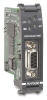
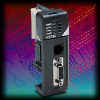
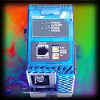
The H2-PBC (Profibus Base Controller) allows you to connect DL205 I/O to your Profibus network. This module plugs into the CPU slot of any DL205 base and supports all of the discrete and analog I/O currently available as well as the H2-CTRIO module.

The T1H-PBC (Profibus Base Controller) allows you to connect Terminator I/O to your Profibus network. The T1H-PBC supports all of the discrete and analog I/O currently available as well as the T1H-CTRIO module.

The H0-PSCM (Profibus Slave Communication Module) allows you connect a DL05 or DL06 PLC to your Profibus-DP network. This module plugs into the option slot of the DL05 or DL06 PLC and gives the Profibus master direct control over the PLC's internal memory and I/O. The module allows the user to transfer word and/or bit data to and from a DL05 or DL06 PLC to the Profibus master on a continuous basis, (every scan). The GSD file defines the operational modes and capabilities and the type of I/O that the module supports. Using this GSD file, the user will define:

  1. How many blocks of data, ( up to four )
     
  2. The type of each block, ( Input or Output, and BIT or WORD ). Possible choices of data types being X, Y, C, S, T, CT, GX, GY, & V for bit operations and V for word operations.
     
  3. The size of each data block. Block sizes for words can be from 1 to 32 words. Block sizes for bits can be from 8 to 64 bits. The block size increments for both words and bits are defined by the GSD file and can not be changed by the user.
     
  4. The address of the data to be operated on.


  H0-PSCM H2-PBC T1H-PBC
Module Type Coprocessor CPU Device CPU Device
Interface Port Profibus 9-pin, D shell
Maintenance Port RJ-12 serial
Power Consumption 280mA @ 5VDC (See Note 1) 530mA @ 5VDC
Maximum Expansion 126 stations (32 per segment, 9 segments max)
Max. I/O Points per Controller 244 Input Bytes and 244 Output Bytes (analog or discrete)
Communications protocol Profibus-DP
Baud Rate 9600Kbps through 12Mbps
Operating Environment 0 - 60 ºC (32 – 140 ºF) 5% to 95% humidity (non-condensing)
Manufacturer Host Automation Products, LLC
Notes
  1. Power budget limitations restrict the number of modules allowed in the expansion slots of the DL05/06 PLCs. Please consult the power budgeting tables in your manual or catalog for specific calculations.

Firmware

Upgrading the firmware in all of our Profibus interface modules is done through our free Module Configuration utility called NetEdit3. If you don't already have a copy of the utility, you can use this link to download the latest version of NetEdit3 from our web site.

Once you have NetEdit3 installed on your PC, use the File->Live Update feature to download the latest version of the firmware files from the Host Engineering website. Follow the instructions in NetEdit3 to perform the actual update.
 

H0-PSCM
Last Update   : 7 August 2003
File Size        : 64Kb
Version          : v1.0.92
View the H0-PSCM Revision History


H2-PBC
Last Update   :  11 January 2010
File Size        :  76Kb
Version          : v1.1.26
View the H2-PBC Revision History


T1H-PBC
Last Update   : 11 January 2010
File Size        : 77Kb
Version          : v1.1.31
View the T1H-PBC Revision History


Documentation

Use these following links to view the user manuals for these products. 

Use the links to get the latest GSD files

  • AUTD0779.Zip -  GSD file for the H0-PSCM
    Last Update: 14-April-2003
    Version:        0.1
     
  • AUTD0608.Zip -  GSD file for the H2-PBC
    Last Update: 23-Apr-2008
    Version:        0.4
     
  • AUTD0607.Zip -GSD file for the T1H-PBC
    Last Update: 29-April-2004
    Version:        0.4

Profibus Certificates of Conformance


Product Advisories

  • None

Here's the recommended ERNI ERbic connectors for the H0-PSCM and the H2-PBC:

  • #104577 - reverse node horizontal connector
  • #104322 - reversed termination horizontal connector

Here's the recommended ERNI ERbic connectors for the T1H-PBC:

  • #103658 - standard node vertical connector
  • #103659 - standard termination vertical connector

Here's two recommended Profibus cables:

  • Siemens - 6XVI 830 0AH10
  • Belden    - 3079A

NOTE: you will need the Adobe Acrobat Reader to view the files (available at Adobe Acrobat Free Reader ).

FAQs
PBC FAQs
(Last Update: 22-Nov-2010, PBC FAQ0016)

PBC FAQ0001
27-Nov-2002
Q: My Profibus master is getting configuration errors with the T1H-PBC. Module Status and Link Active are both solid green.
A: These lights are indeed indicating that there is a configuration error. The most common mistake with the T1H-PBC is not realizing that it takes 16DO (2 output bytes) all by itself, even with an empty base. More than likely you have not configured these two output bytes; especially if doing it manually. Many Profibus master configurators allow you to browse to the slave. In most cases the browser will take into account the 16DO.


PBC FAQ0002
22-Jan-2003
Q: Have there been any changes to the H2-PBC since the introduction of H2-CTRIO?
A: No. (see our website for history).


PBC FAQ0003
12-Jul-2002
Q: Does the H2-PBC use the standard .gsd files for configuration, or the older ET200 Type files by Siemens?
A: H2-PBC uses standard .gsd files. Siemens' COM Profibus software supports these.


PBC FAQ0004 (see also CTRIO FAQ0012, EBC FAQ0014, WinPLC FAQ0003)
06-Feb-2003
Q: CTRIO Workbench indicates that the CTRIO module is in "Startup" mode and all of the configuration parameters are grayed out.
A: "Startup" mode indicates that CTRIO Workbench cannot successfully communicate with the CTRIO. The problem is not between CTRIO Workbench and the CPU, the problem is between the CPU and the CTRIO itself. Communication across the backplane is failing. Here are some known causes of this:

  • The CTRIO is in the slot adjacent to the CPU (slot 0) and you are using a D2-240, D2-250 or D2-260 CPU. You must move it to another slot.
  • You are using CTRIO Workbench v1.1 with a CTRIO that has firmware version 2.0.1 or later. Update your Workbench.
  • You are using CTRIO Workbench v1.1 and starting it from DirectSOFT. Either start it from DS Launch or upgrade CTRIO and CTRIO Workbench.
  • The PLC has old firmware. This Product Advisory details the revision levels required.
  • The PLC power is OFF.
  • You have a DL205 in a "-1" base (the ones that have the expansion I/O connector on the right side), and you have an H2-EBC, H2-WinPLC or H2-PBC that has not been modified to work in these new bases.
        H2-EBC less than 7F (7F and 8F work)
        H2-EBC-F less than 1F (1F works)
        H2-WPLC1, WPLC2 less than 4K (4K, 5K & 6K work)
        H2-WPLC3 less than 1K (1K works)
        H2-PBC less than 2D (2D works)

* - Revision meaning: "7F" means: "7" is bare board revision. "F" the revision of the assembly drawing that we are using to build the boards.

If you have older EBC, PBC or WinPLC hardware, you have two options to get them updated:

  1. RMA them back to Automation Direct (a part will be shipped immediately to you).
  2. Send them to Host Engineering (you will have to wait on the part to be modified and shipped back).

PBC FAQ0005
03-Oct-2002
Q: Are there any plans to make a Profibus Slave module for the DL405 PLCs?
A: No, there are no plans for Host Engineering to do this. Currently the only Profibus Slave Modules we have are the H0-PSCM; H2-PBC and T1H-PBC. No H4-PBC nor H4-PSCM are planned.


PBC FAQ0006 (see also CTRIO FAQ0039; EBC FAQ0038)
27-Aug-2002
Q: In order to use the newer T1H-CTRIO or H4-CTRIO, what are the requirements as far as configuration software, hardware and firmware?
A: Here are the requirements:

  • CTRIO Workbench needs to be at least v2.1.2.
  • T1H-CTRIO firmware needs to be at least v2.1.2.
  • H4-CTRIO firmware needs to be at least v2.1.2.
  • If using T1H-CTRIO in T1H-EBC the T1H-EBC hardware needs to be at least "2I" and firmware v1.0.444.
  • If using T1H-CTRIO in T1H-PBC the T1H-PBC hardware needs to be at least "2D" and firmware v1.1.10.
  • If using H4-CTRIO in H4-EBC the H4-EBC hardware needs to be at least "4F" and firmware v2.1.328.
  • If using H4-CTRIO in D4-450 the D4-450 needs to be at least T1.985.

PBC FAQ0007 (see also EBC FAQ0041; WinPLC FAQ0015)
09-Oct-2002
Q: Which H2-EBC, H2-PBC and H2-WPLC work in the newer DL205 "-1" bases?
A: The following states the hardware revision requirements for using these products in the newer DL205 "-1" bases (the ones that have the local expansion I/O connector on the right side):

  • H2-EBC must be at least 7F (7F and 8F work).
  • H2-PBC must be at least 2D (2D works).
  • H2-WPLC1 must be at least 4K (4K, 5K & 6K work).
  • H2-WPLC2 must be at least 4K (4K, 5K & 6K work).
  • H2-WPLC3 must be at least 1K (1K works).

Find the hardware revision number on a label on the right side of the PCB (printed circuit board) as shown:


PBC FAQ0008 (see also CTRIO FAQ0043; EBC FAQ0043)
11-Oct-2002
Q: How many T1H-CTRIOs can be installed in one base?
A: For T1H-EBC, 13. For T1H-PBC, 2. The limit is data budget.


PBC FAQ0009 (see also CTRIO FAQ0046; EBC FAQ0047; ECOM FAQ0036; EDRV FAQ0009; ERM FAQ0030; EZ Ethernet FAQ0018; PSCM FAQ0001; WinPLC FAQ0018; NetEdit FAQ0014)
07-Nov-2002
Q: What software tool do I use to upgrade/downgrade my Host Engineering hardware?
A: Refer to the following:

Host Hardware Part Number Firmware/Booter Upgrade Tool
CTRIO H0-CTRIO
H2-CTRIO
H4-CTRIO
CTRIO Workbench
EBC
EBC100
H2-EBC
H4-EBC
T1H-EBC
NetEdit3
T1H-EBC100 NetEdit3 (v3.4 or higher)
H2-EBC100 NetEdit3 (v3.5 or higher)
ECOM
ECOM100
H0-ECOM
H2-ECOM
H4-ECOM
NetEdit3
H0-ECOM100
H2-ECOM100
H4-ECOM100
NetEdit3 (v3.5 or higher)
EDRV EDRV NetEdit3
ERM H2-ERM
H4-ERM
NetEdit3 or ERM Workbench
EZ Ethernet EZ Ethernet
EZ EtherPLUS
EZ Touch
PBC H2-PBC NetEdit3
PSCM H0-PSCM
H2-PSCM
WinPLC WinPLC WinPLC Workbench

NOTE: All the firmware for the above products can be downloaded using NetEdit3's File --> Live Update... The firmware files are stored in c:\HAPTools\Images folder.


PBC FAQ0010
10-Nov-2004
Q: Can the PBC be configured to turn all its outputs off when communication with its Profibus master are lost?
A: Yes, this is the default behavior for all Profibus slaves. However, the setting is done via the configuration software of the particular Profibus master hardware being used with the PBC.


PBC FAQ0011
10-May-2007
Q: How many T1F-16AD-1 or T1F-16AD-2 modules can be installed in one T1H-PBC or H2-PBC?
A: 3 (three). The reason is that the T1F-16AD module is a 16-channel analog input, but each channel occupies a double-word. Therefore:

16 channels x 1 double word = 32 words
32 words x 2 bytes per word = 64 bytes

Thus each T1F-16AD module takes 64 bytes. So if you had 4 (instead of 3) modules:

4 modules x 64 bytes = 256 bytes of input

The limitation for a Profibus telegram is 244 bytes, thus, 4 modules would not work. This limitation is not due to the T1H-PBC, but rather the Profibus telegram specification. (For example, a T1H-EBC or T1H-EBC100 (Ethernet Base Controllers) do not have this limitation).


PBC FAQ0012
30-Apr-2008
Q: Does the H2-PBC support the F2-8AD4DA-1 and F2-8AD4DA-2 modules?
A: Yes, but you will have to download at least the V0.4 GSD file (download here: AUTD0608.GSD).

The F2-8AD4DA-1 and F2-8AD4DA-2 modules both will appear in the H2-PBC as 8 words IN (as expected), and 8 words OUT (as not expected). The extra 4 words of OUTPUT are used as the "control words" for configuring the modules themselves. The OUTPUTs of each module are defined as shown:

F2-8AD4DA-1
Output Word 1 = Channel 1
Output Word 2 = Channel 2
Output Word 3 = Channel 3
Output Word 4 = Channel 4
Output Word 5 = Input Resolution (see pg. 15-15 of D2-ANLG-M manual)
Output Word 6 = N/A
Output Word 7 = Track & Hold (see pg. 15-15 of D2-ANLG-M manual)
Output Word 8 = N/A

F2-8AD4DA-2
Output Word 1 = Channel 1
Output Word 2 = Channel 2
Output Word 3 = Channel 3
Output Word 4 = Channel 4
Output Word 5 = Input Resolution (see pg. 16-14 of D2-ANLG-M manual)
Output Word 6 = Range Selection (see pg. 16-14 of D2-ANLG-M manual)
Output Word 7 = Track & Hold (see pg. 16-15 of D2-ANLG-M manual)
Output Word 8 = N/A


PBC FAQ0013 (see also CTRIO FAQ0026; EBC FAQ0082; WinPLC FAQ0037)
01-Jun-2009
Q: Why are the I/O Map values not saved if using CTRIO Workbench to talk to a CTRIO in an EBC/EBC100, WinPLC, or PBC base?
A: If the CTRIO is in any of these bases, the values entered in the CTRIO Workbench I/O Map do not determine the CTRIO's I/O address mapping. Something other than the CTRIO itself is determining this mapping (see chart below). Thus the I/O Map, in these cases, is merely a documentation function.

If you enter values in this map, they will not be saved in the CTRIO .CWB file that you might create. Thus, to remember the values, you will have to use the Report button at the bottom and then either Print a hard copy, or Save it to a .TXT file.

BASE CONTROLLER MASTER OF THE BASE CONTROLLER I/O MAPPING DETERMINED or SHOW BY:
DL05 N/A CTRIO Workench (I/O Map)
DL06
DL205
DL405
H*-EBC or H*-EBC100 PC (Ethernet SDK) H*-EBC (NetEdit --> Show Base Contents)
PC (KepDIRECT EBC)
PC (Think&Do or Entivity)
H*-ERM ERM Workbench (Configure ERM)
H*-EBC100 only 3rd-party (Modbus TCP) H*-EBC100 (NetEdit --> Show Base Contents)
H*-ECOM100 (Modbus TCP)
H2-WPLC (Think&Do or Entivity) <N/A> H2-WPLC (Think&Do or Entivity)
H2-WPLC (WinCE) H2-WPLC (3rd-party application)
H2-PBC 3rd-party (Profibus Master) 3rd-party (Profibus configurator)
T1H-EBC or T1H-EBC100 PC (Ethernet SDK) T1H-EBC or T1H-EBC100 (NetEdit --> Show Base Contents)
PC (KepDIRECT EBC)
PC (Think&Do or Entivity)
T1H-EBC100 only 3rd-party (Modbus TCP) T1H-EBC100 (NetEdit --> Show Base Contents)
H*-ECOM100 (Modbus TCP)

NOTE: To use the table, note what is controlling the base where the H*-CTRIO is plugged into. Then note what is controlling the base controller itself. In the last column is the device or software that either determines the I/O mapping, or at least shows it to you.


PBC FAQ0014 (see also CTRIO FAQ0045; DirectSOFT FAQ0132; DL Plus FAQ0010; DNLoader FAQ0011; DS Data FAQ0102; EBC FAQ0083; ECOM FAQ0084; EDRV FAQ0084; ERM FAQ0058; EZ Ethernet FAQ0010; General FAQ0004; HA-TADP FAQ0008; Lookout Direct FAQ0015; NetEdit FAQ0037; PSCM FAQ0003; SDK FAQ0022; SERIO FAQ0004; WinPLC FAQ0038)
31-Dec-2009
Q: What is the export classification of your products (e.g. ECCN)
A: None of our products have an ECCN. Automation Direct sells our products and they export EAR99 NLR (No License Required). ECCN is Export Controlled Classification Number and none of our products are controlled.


PBC FAQ0015 (see also NetEdit FAQ0011; EBC FAQ0004; ECOM FAQ0034; EDRV FAQ0008; ERM FAQ0024)
30-Mar-2010
Q: Getting various errors when attempting to update the booter/firmware for my EBCs, ECOMs, EDRVs and ERMs.
A: First make sure you isolate the device from all other tasks (i.e. put the PLC in the STOP mode; stop HMI; isolate from busy network traffic). Secondly, make sure you are using the latest version of NetEdit3 which can be downloaded for free here:
http://www.hosteng.com/SW-Products/NetEdit3.zip

Here are some common problems experienced:

  • (1) After Rescanning, the booter/firmware version doesn't change - NetEdit is probably getting an error that is not getting reported. Upgrade to the latest NetEdit (i.e. >v3.4). If this doesn't work then report the error to us and we can send you ETHER32.EXE which should do it.
     
  • (2) "Error booting to booter" - You are probably using the old ETHER32.EXE utility. It is much easier to utilize the latest NetEdit3 to accomplish updates. It has a fully integrated firmware/booter update facility as well as "live update" feature to retrieve the latest firmware/booter files from our website.
     
  • (3) "Error! Error 32774 from DownloadBinFile!" - This error 32774 is sometimes indicated as "Error 0x8006" and simply is a general timeout message. This simply means that NetEdit3 cannot talk to the device in a consistent manner (i.e. uninterrupted). Some things that can cause this:

    -  The network could be too busy, therefore isolate this device and try again.
    -  The WinXP firewall could be turned on. If so you must do one of the following:
         (1) Turn the firewall off, or
         (2) Create an exception for NetEdit3.EXE application, or
         (3) Create an exception for port #0x7070 (28784) for both TCP and UDP protocols. which is the port number that all of our Ethernet devices use for communication.
     
  • (4) "Error 216" - This error means there were severe problems with either writing the firmware to the device, or verifying what was written. Usually if you get this error, it leaves the device in the booter state (i.e. the red ERR light is flashing). In most cases all that is needed is to make sure you isolate the device from all other tasks (as mentioned above), and try the update again.

PBC FAQ0016 (see also CTRIO FAQ0082)
22-Nov-2010
Q: Cannot get CTRIO Workbench's Monitor I/O function to work with the PBC.
A:  Unfortunately, it is not possible to have this functionality for the CTRIO in the PBC. To comply with specification, CTRIO Workbench cannot suspend the PBC's writing/reading the CTRIO's I/O in order to perform the function, thus it is not supported.